
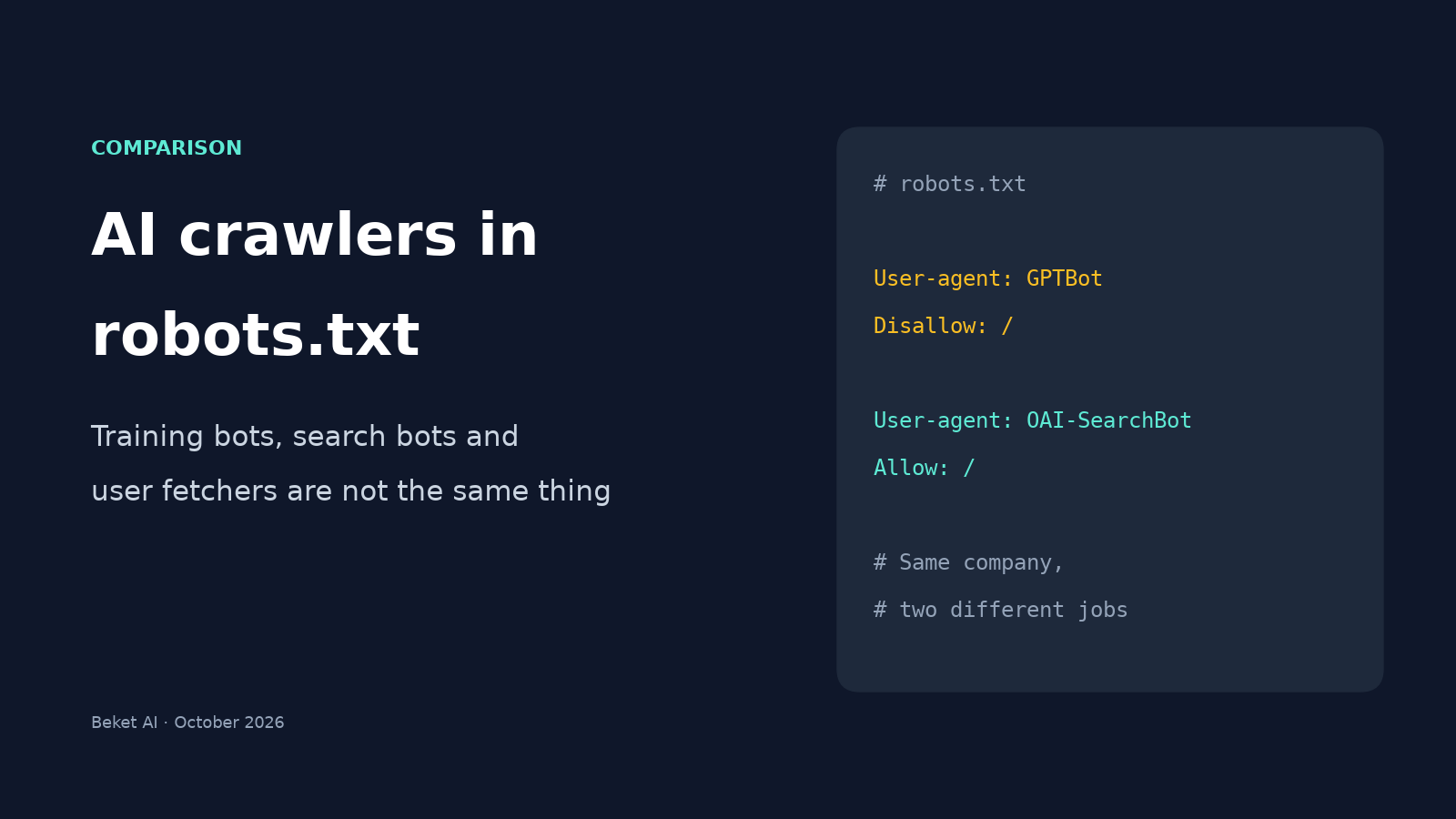
GPTBot vs OAI-SearchBot vs Google-Extended: Which AI Crawlers to Allow in robots.txt

A bakery owner reads that AI companies are scraping the web, opens their website settings, and blocks "AI bots." A month later they wonder why ChatGPT never mentions them when someone asks for the best croissant in town.
The problem usually isn't the decision to block. It's that "AI crawler" covers at least three different jobs, and each AI company gives each job its own name. Block the wrong name and you opt out of being recommended, not just out of being used for training.
This comparison lines up every major AI crawler by what it actually does, using each company's own documentation, so you can decide one name at a time.
The short answer
If you run a local or small business and want AI assistants to recommend you, the usual setup is:
- Allow the search bots. These decide whether you can appear and be linked in AI answers.
- Decide separately on the training bots. Blocking them is a reasonable choice and, according to OpenAI, Google and Apple, doesn't remove you from their search results.
- Don't count on robots.txt for user-triggered fetchers. OpenAI, Google and Perplexity all say these may ignore robots.txt because a person asked for the page.
Three kinds of AI crawler
| Type | What it does | What blocking it does | Examples |
|---|---|---|---|
| Training crawler (or training control token) | Collects pages that may be used to train future AI models | Asks the company not to train on your future content | GPTBot, ClaudeBot, Google-Extended, Applebot-Extended |
| Search crawler | Builds the index an AI assistant searches when it answers | Can remove you from that assistant's answers and citations | OAI-SearchBot, Claude-SearchBot, PerplexityBot, Googlebot, Bingbot |
| User-triggered fetcher | Opens a page in real time because a user asked about it or shared a link | Often nothing, since these may not follow robots.txt | ChatGPT-User, Claude-User, Perplexity-User, Google-Agent |
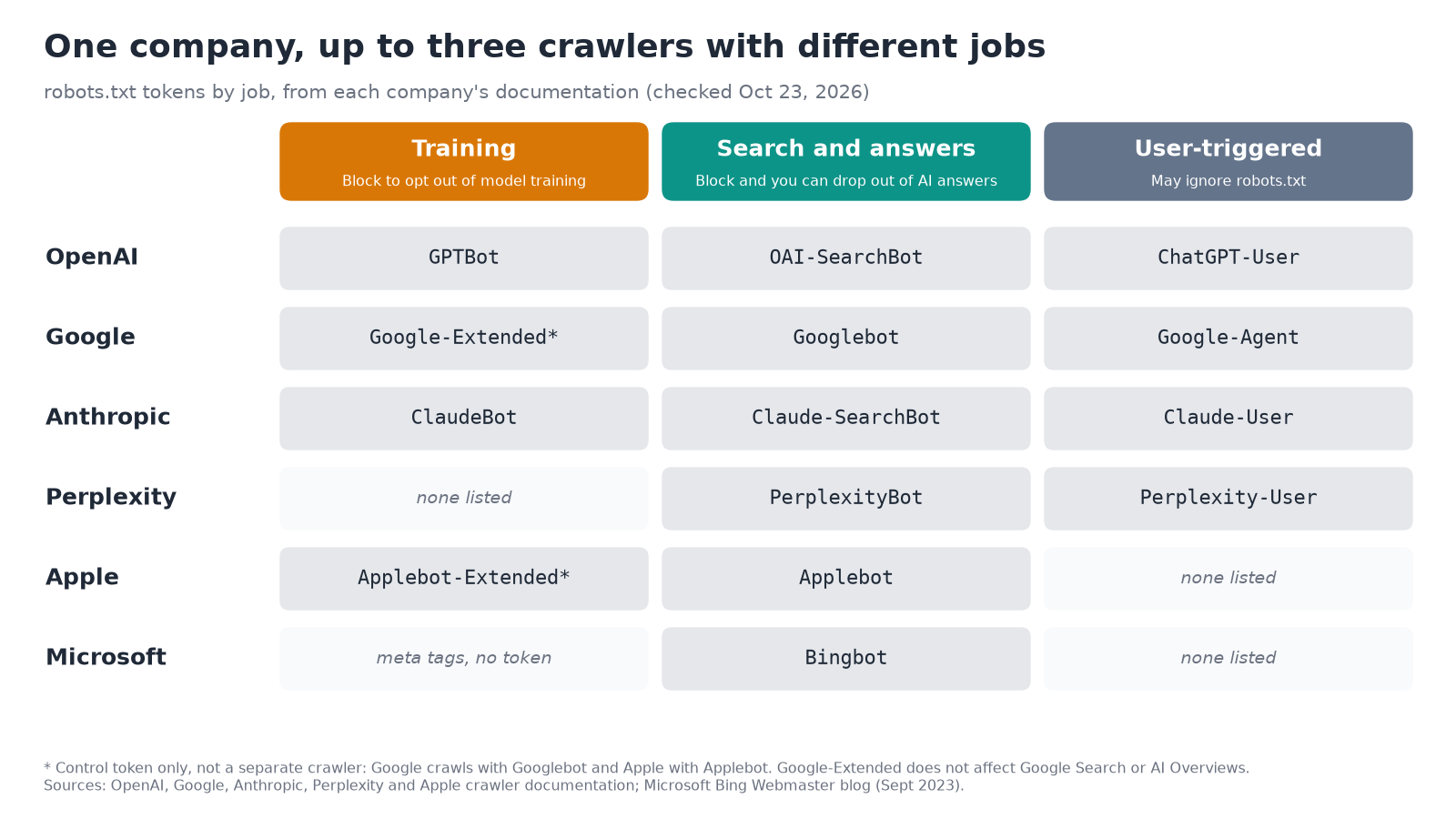
Compiled from each company's crawler documentation, checked October 23, 2026. Links in the table below.
GPTBot vs OAI-SearchBot vs ChatGPT-User
This is the pair people mix up most, because both belong to OpenAI. OpenAI's crawler documentation is unusually direct about the split:
- OAI-SearchBot "is used to surface websites in search results in ChatGPT's search features." Sites that block it "will not be shown in ChatGPT search answers, though can still appear as navigational links."
- GPTBot crawls content "that may be used in training our generative AI foundation models." Blocking it "indicates a site's content should not be used in training."
- ChatGPT-User visits a page when a ChatGPT user's question calls for it. OpenAI says "robots.txt rules may not apply" and that it "is not used to determine whether content may appear in Search."
OpenAI also says each setting "is independent of the others," gives the example of allowing OAI-SearchBot while blocking GPTBot, and notes that search changes can take about 24 hours to take effect after you update robots.txt.
So the common mistake, blocking GPTBot and assuming you're out of ChatGPT, and the opposite mistake, blocking everything OpenAI and losing ChatGPT search visibility, both come from treating these as one bot.
Every major AI crawler, compared
| Company | Training | Search and answers | User-triggered | Source |
|---|---|---|---|---|
| OpenAI (ChatGPT) | GPTBot | OAI-SearchBot | ChatGPT-User (robots.txt "may not apply") | OpenAI crawlers |
| Google (Search, AI Overviews, AI Mode, Gemini) | Google-Extended (a control token, not a separate crawler) | Googlebot | Google-Agent and other user-triggered fetchers ("generally ignore robots.txt") | Common crawlers, user-triggered fetchers |
| Anthropic (Claude) | ClaudeBot | Claude-SearchBot | Claude-User | Anthropic help center |
| Perplexity | None listed; PerplexityBot "is not used to crawl content for AI foundation models" | PerplexityBot | Perplexity-User ("generally ignores robots.txt rules") | Perplexity crawlers |
| Apple (Siri, Apple Intelligence) | Applebot-Extended (a control token; it "does not crawl webpages") | Applebot | None listed | About Applebot |
| Microsoft (Bing, Copilot) | No separate token; uses page meta tags (see below) | Bingbot | None listed | Bing Webmaster blog |
A few details from those pages are worth knowing before you edit anything.
Google-Extended does not touch AI Overviews. Google says Google-Extended controls whether content may be used to train future Gemini models and for grounding in Gemini Apps and Vertex AI, and that it "does not impact a site's inclusion in Google Search nor is it used as a ranking signal." AI Overviews and AI Mode are part of Search, so Google's AI features guide points to Googlebot rules and snippet controls such as nosnippet and noindex instead. We covered those controls, and why most businesses should leave them alone, in our piece on Google's new AI Overviews opt-out setting.
Applebot-Extended works the same way. Apple says pages that disallow Applebot-Extended "can still be included in search results," and that rules for it "are not considered in ranking for Search." Apple separately says the nosnippet meta tag keeps a page out of the broad world-knowledge answers Siri and Search can generate.
Microsoft uses meta tags, not a bot name. In a 2023 announcement, Bing said pages with NOARCHIVE won't be included in Bing Chat answers or used to train its foundation models, while NOCACHE limits answers to the URL, title and snippet. Bing Chat has since been renamed Copilot, and the post says both tags leave pages in regular Bing results. Because Copilot answers are built on Bing's index, blocking Bingbot is the bigger lever, as we explained in One of Your Engines Runs on Bing.
Anthropic is the clearest on consequences. Its help page says blocking Claude-SearchBot "may reduce your site's visibility and accuracy in user search results," and blocking Claude-User "may reduce your site's visibility for user-directed web search."
Copy-paste robots.txt setups
Each group below starts with User-agent: and the exact token. Put the file at the root of your domain (yourdomain.com/robots.txt), and repeat it for any subdomain you want covered, as Anthropic's help page notes.
Option 1: Be found everywhere, opt out of training. Search crawlers are allowed by default, so you only need one group that names the training crawlers and tokens:
# Training crawlers and tokens: blocked
User-agent: GPTBot
User-agent: ClaudeBot
User-agent: Google-Extended
User-agent: Applebot-Extended
Disallow: /
Leave OAI-SearchBot, Claude-SearchBot, PerplexityBot, Googlebot, Bingbot and Applebot out of it, and make sure no other group blocks them.
Option 2: Allow everything. If you have no objection to training, you don't need AI-specific lines at all. A permissive User-agent: * group, or no robots.txt, already allows these crawlers.
Option 3: Keep one folder away from AI crawlers. Use a path rule rather than a site-wide block, so your service pages stay visible:
User-agent: GPTBot
User-agent: OAI-SearchBot
User-agent: ClaudeBot
User-agent: Claude-SearchBot
User-agent: PerplexityBot
Disallow: /members/
One rule catches people out with every option. Under the robots.txt standard, RFC 9309, a crawler that finds a group naming it follows only that group and ignores the User-agent: * group. So if you already have Disallow lines under *, such as /cart/ or /wp-admin/, copy them into any group you add for a named bot, or that bot will skip them.
Robots.txt is a request to well-behaved crawlers, not a lock. Google made the same point in an October 21 video on what robots.txt can hold: it controls whether a crawler may fetch a page, not what a company does with content it already has, and anything truly private needs a login or password.
The settings outside robots.txt
Your robots.txt file can say "allow" while something else says "block."
- Your CDN or firewall. In July 2025, Cloudflare announced it was changing its default to block AI crawlers unless they pay for content. If your site runs on Cloudflare, check what Cloudflare's AI Crawl Control settings allow, because a block there overrides an allow in robots.txt.
- Your website builder or SEO plugin. Some add AI-blocking rules with one toggle. Open the live file at
/robots.txtrather than trusting the settings screen. - Security rules that block by IP address. Anthropic warns that blocking its IP addresses "may not work correctly," since it stops the crawler from reading your robots.txt. OpenAI and Perplexity both publish their crawlers' IP ranges so you can allow them in a firewall instead.
Search crawlers are also getting better at finding small sites. Cloudflare said this month that a pilot with OpenAI, using about 1% of its network, helped OpenAI discover and index hundreds of millions of new pages, with OpenAI still ranking those pages on its own. That only helps if the search crawler is allowed in.
How to check what you actually have
- Open the live file. Visit
yourdomain.com/robots.txtand look for any of the names in the table above, plus anyUser-agent: *group withDisallow: /, which blocks every crawler that doesn't have its own group. - Test it with Google's tools. The robots.txt report in Google Search Console shows the file Google last fetched and any errors.
- Look at your server logs. Search for
OAI-SearchBot,PerplexityBot,Claude-SearchBotandBingbot. If a search bot never shows up, or only gets 403 errors, something upstream is blocking it. Our post on what your server logs show before your analytics do walks through what to look for. - Check again after any site migration or plugin change. Blocks are often left over from an old setup rather than chosen, a pattern we covered in Your robots.txt Might Be Blocking AI Crawlers.
Common mistakes
| Mistake | What actually happens | Fix |
|---|---|---|
| Blocking GPTBot to "get out of ChatGPT" | You opt out of training, but ChatGPT search can still show you | Block OAI-SearchBot too only if you really want out of ChatGPT search |
| Blocking all OpenAI bots to stop training | ChatGPT search stops showing your pages | Allow OAI-SearchBot, block GPTBot |
| Blocking Google-Extended to leave AI Overviews | No effect on AI Overviews or Search | Use snippet controls, and read the trade-offs first |
| Blocking PerplexityBot to avoid training | Removes you from Perplexity's search results, which PerplexityBot exists to build | Leave it allowed if you want to be cited there |
A blanket User-agent: * Disallow: / left over from a staging site |
Blocks every compliant crawler, search and AI alike | Remove it on the live site |
| Assuming robots.txt hides private pages | User-triggered fetchers may ignore it, and the file itself is public | Put private pages behind a login |
The bottom line
The question isn't "should I block AI crawlers?" It's which of three jobs you're saying no to. For most businesses that want to be recommended, the answer is to welcome the search bots, make a separate, deliberate call on training, and check the CDN and plugin settings that can quietly override both.
After that, the next question is what those engines say once they can read your site. A free Beket AI audit runs 25 prompts across 3 AI engines and shows which businesses each one recommends and cites for the questions your customers ask.
Related posts
Google Business Home Beta: What It Changes for Local Businesses, and What It Doesn't
Google Business Home is a Gemini-powered beta dashboard for Business Profile, Ads, YouTube and Merchant Center. It changes where you manage, not how you rank.
Best SEO Conferences 2026: Dates, Prices and AI Sessions
The SEO and AI search conferences left in 2026 and dated for 2027, with official prices, venues, and which agendas name GEO or AI search sessions.
AI Search Sends Little Traffic. Here's Why Local Businesses Should Still Care
New studies put AI search traffic under 1% of Google organic in one dataset. Here's what click counts miss, and why local 'who should I hire' prompts matter.