
The Thumbs-Down Button Won't Fix What AI Says About You

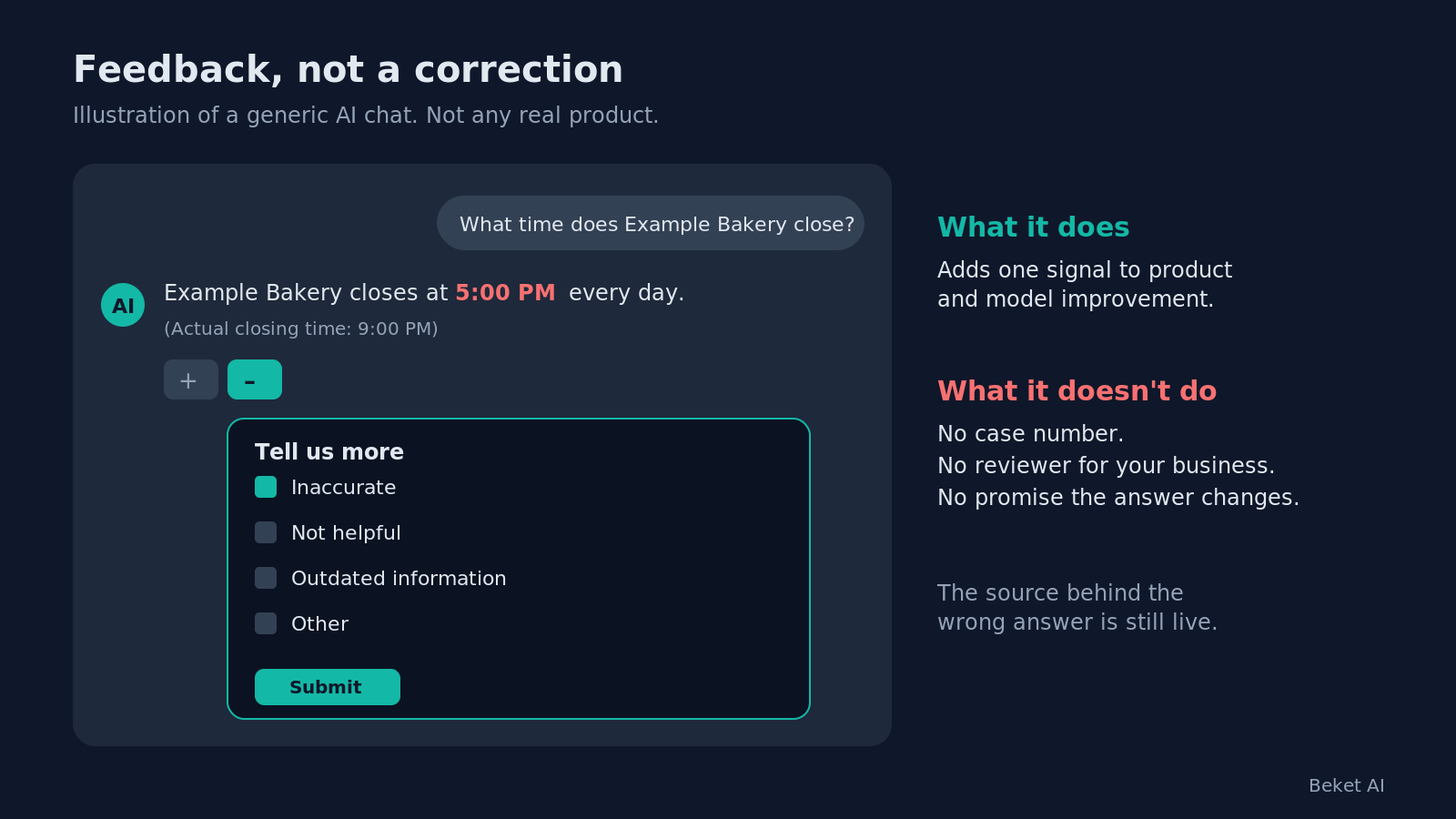
You ask ChatGPT about your business. It says you close at 5. You close at 9. So you do what the screen invites you to do. You click the thumbs-down, pick a reason, type the right hours, and hit submit.
It feels like a correction. It isn’t one.
Every major answer engine has a feedback button. None of them is a correction form for business owners. Knowing what that button does, and what it doesn’t, saves you weeks of waiting for a fix that was never in a queue.
What the feedback button actually does
Read the help pages and the pattern is the same everywhere. Feedback is product input. It is not an edit request.
Google’s help page for AI Overviews tells you to click the thumbs-down if an overview is “unhelpful, inaccurate, biased, or otherwise problematic,” then choose a category under Report a problem and add details. The report includes your most recent search query and its results. Google frames all of it the same way: your feedback “helps us improve AI Overviews.” Its general Search feedback page adds a line worth remembering: “We can’t always respond to your feedback.”
OpenAI’s help center says that when you give a thumbs up or thumbs down on a ChatGPT response, the entire conversation tied to that feedback may be used to train its models. That is a vote on how future models behave. It is not a ticket against one fact about your company.
Microsoft’s Copilot Chat FAQ says the thumbs icons help teach Copilot which responses are and aren’t helpful, and that Microsoft uses the feedback to improve Copilot. It also says that feedback is not used to train the foundation models behind it.
Three companies, three wordings, one meaning. Your report joins a pool of signals. There is no case number, no reviewer assigned to your business, and no promise the answer changes.
Why the button can’t fix it
An answer engine doesn’t keep one record about your business that someone can edit. It builds each answer from what it can find and what it already learned. Change the inputs and the answer can change. Rate the output and, at best, you’ve added one signal to a very large pile.
Google says as much in its guidance for site owners on AI features. AI Overviews and AI Mode may use a “query fan-out” technique, running several related searches across subtopics and data sources to build a response. To be shown as a supporting link, a page must be indexed and eligible to appear in Search with a snippet. The answer sits downstream of the index. If the index holds a wrong page about you, the answer can repeat it.
The same logic applies to ChatGPT search. OpenAI’s crawler documentation says sites that opt out of OAI-SearchBot will not be shown in ChatGPT search answers. Your own pages only count if the engine is allowed to read them.
That is why a thumbs-down can seem to work for an afternoon and then stop working. You may have changed one reply in one session. The source that produced the error is still live.
What to do instead
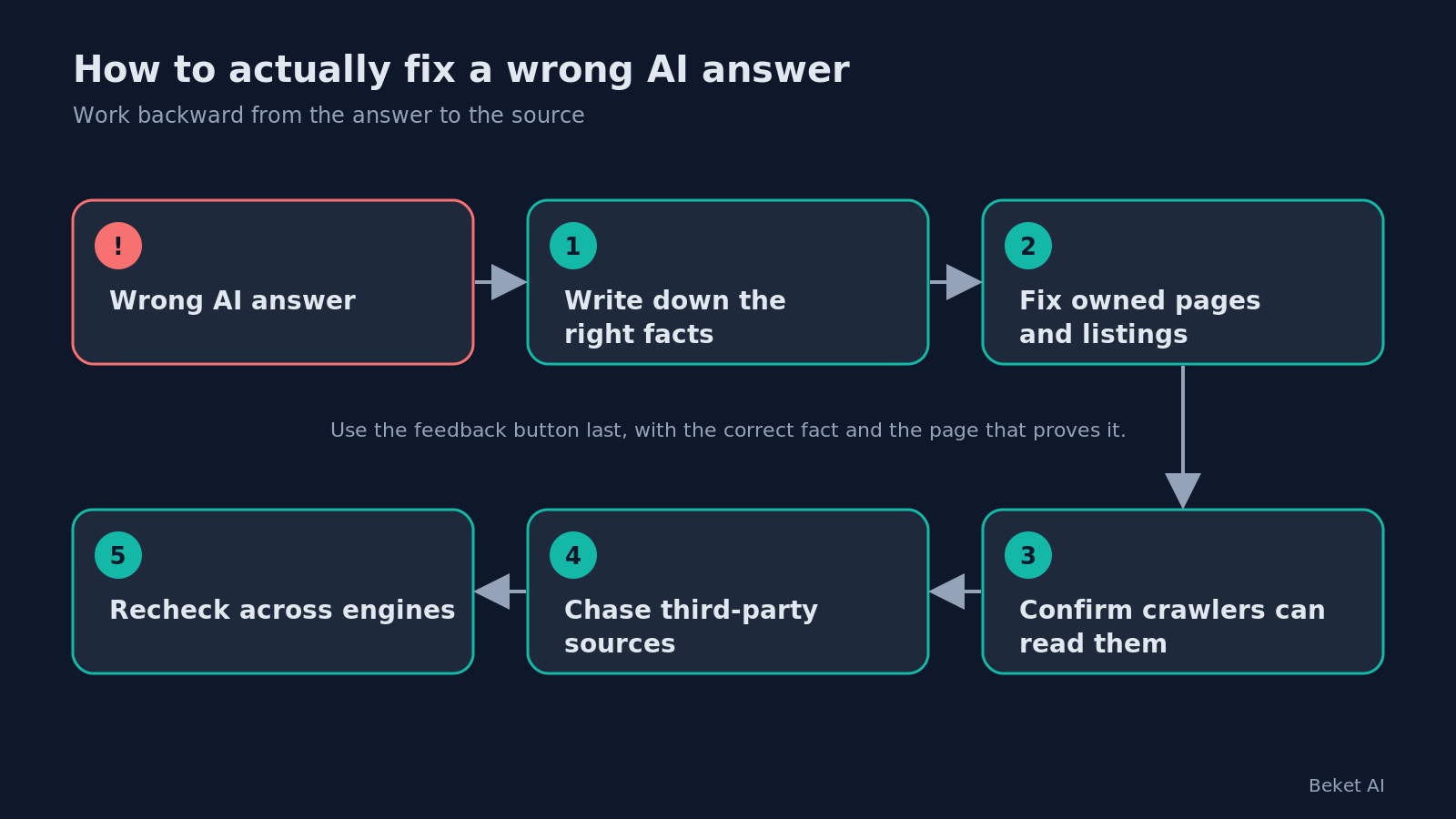
Treat the wrong answer as a symptom. Then work backward to the cause.
1. Write down the right answer. Before you touch anything, list the facts a buyer needs: hours, locations, prices or price ranges, services you do and don’t offer, and the categories you belong in. If you can’t state the correct answer in one line, the engines can’t either.
2. Fix the sources you own first. That means your website, your Google Business Profile, and your other listings. Google’s Business Profile help covers editing hours, special hours, phone numbers, services, and your business description, and notes that Google reviews changes before they go live. Google’s site owner guidance also lists keeping your Merchant Center and Business Profile information up to date, and making sure your structured data matches the visible text on the page, among the basics for AI features.
3. Make sure the engines can read the fix. A corrected page that a crawler can’t reach changes nothing. Check robots.txt for Googlebot and OAI-SearchBot. Google says recrawling can take “anywhere from several days to several months,” and you can request a recrawl. OpenAI says robots.txt changes take about 24 hours to show up in its search results.
4. Then chase the sources you don’t own. Old directory listings, stale review profiles, an article written two products ago. Those take requests, not edits, and they take longer. Start with the ones that state the wrong fact most directly.
5. Use the feedback button last, and for what it’s for. It’s fine to flag an answer that is badly wrong or harmful. Include the correct fact and the page that proves it. Just don’t count the click as the fix.
The step everyone skips: checking again
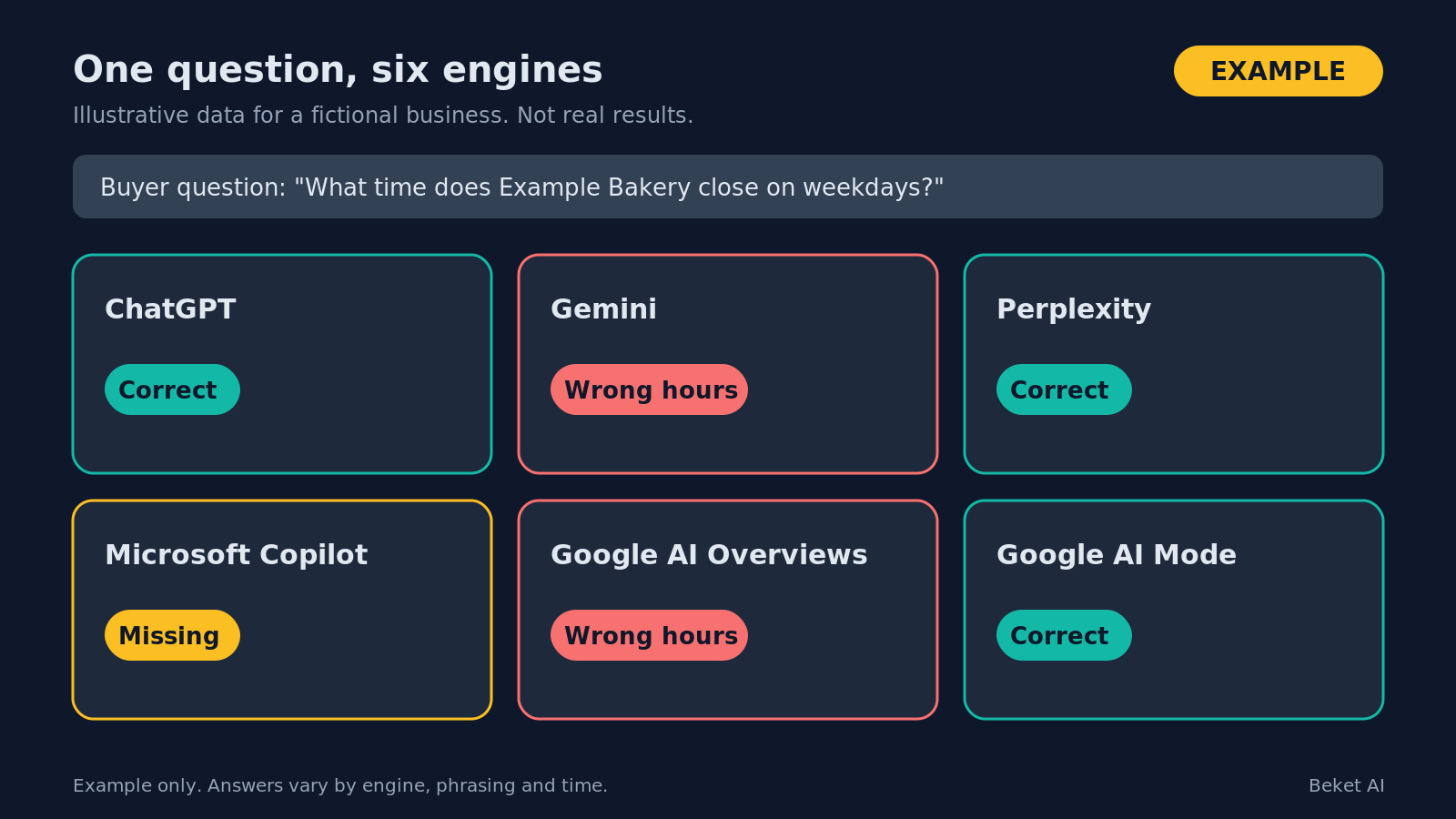
Here is the trap. You fix your hours on Monday. You ask ChatGPT on Tuesday and it gets them right. You call it done.
But one prompt on one engine is one data point. The same question phrased another way, asked in Gemini or shown in an AI Overview, can still return the old hours. Google itself says AI Mode and AI Overviews may use different models and techniques, so the responses and links they show will vary. That’s two surfaces from one company, before you count anyone else.
A real check asks the questions your buyers ask, the way they ask them, across several engines. It scores each answer against the facts you wrote down in step one. Then it runs again, because answers move as pages get recrawled and new sources appear.
Three things are worth tracking over time:
- Accuracy. Do the answers state your facts correctly?
- Inclusion. When someone asks for options in your category, are you on the list?
- Redirection. When someone asks for exactly what you sell, does the answer send them to someone else?
A feedback button can’t tell you any of this. It only touches the answer in front of you.
Where Beket AI fits
Beket AI checks what ChatGPT, Gemini, Perplexity, Microsoft Copilot, Google AI Overviews and AI Mode say about your business. Paid plans can add more engines as add-ons. It flags answers that leave you out, get your facts wrong, or send buyers to a rival, and gives you a prioritized fix list.
The free audit covers 25 prompts across 3 engines. Pro ($49 a month) and Agency plans re-audit daily, so you can see whether a fix actually held instead of guessing. Pro starts at 50 prompts across 3 engines, or 150 prompt checks a day.
If you want to know whether engines can read your site at all, the free AI readiness check looks at robots.txt, structured data, llms.txt and Open Graph. That tells you whether the door is open. It doesn’t tell you what the engines say once they walk through it. For that, see Beket AI for brands, or go to app.beket.ai and click Run my free audit.
Click the thumbs-down if you like. Then go fix the page the answer came from.
Frequently asked questions
Does clicking thumbs-down on a wrong AI answer correct it?
Not directly. Google, OpenAI and Microsoft all describe thumbs feedback as input that helps them improve their products or models. None of them offers it as a way for a business to edit a specific fact, and none promises the answer will change.
How do I fix wrong information about my business in AI answers?
Write down the correct facts, fix the sources you own first (your website, Google Business Profile and other listings), make sure crawlers like Googlebot and OAI-SearchBot can read those pages, then ask third-party sites to update stale information. Recheck the answers across several engines afterward.
How long does it take for an AI answer to reflect a fix?
It depends on the engine and the source. Google says recrawling a page can take anywhere from several days to several months. OpenAI says robots.txt changes take about 24 hours to reflect in ChatGPT search. That is why rechecking over time matters more than a single spot check.
Related posts
Your Nonprofit Writes With AI. AI Reads What You Wrote.
Most nonprofit staff now use AI every week. Google now says to fact-check all AI content by hand, metadata included. Here is why that matters for donors.
Which Seattle Dentists Does AI Recommend? A 2026 Study
We asked ChatGPT, Google AI Overview and Perplexity 24 Seattle dentist questions. 39 names came up; the top name was an insurer, not a clinic.
More Links in AI Answers Do Not Mean More Visits
AI answers now carry more links, yet search traffic keeps falling. What the answer says about you now matters more than the link.