
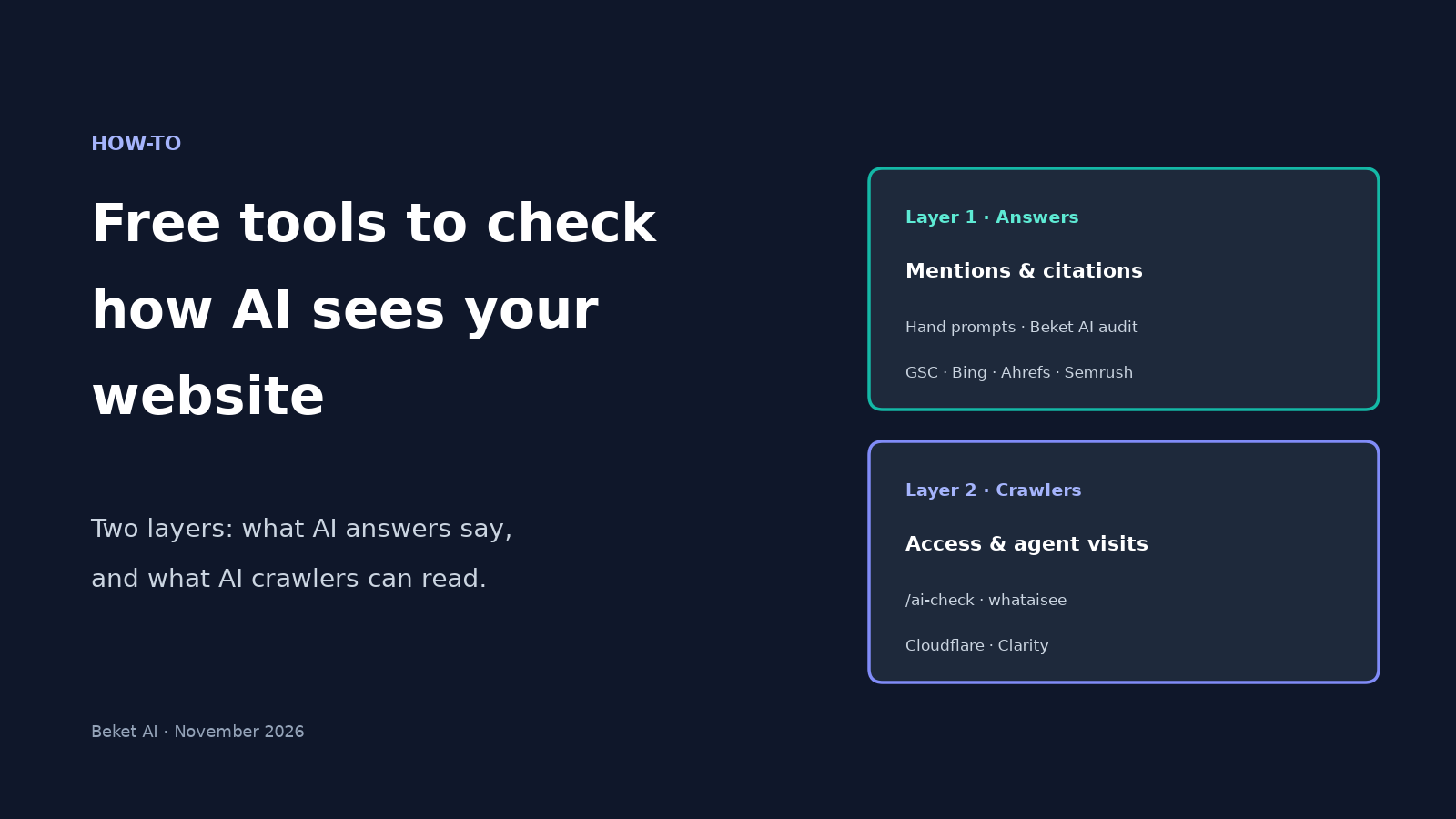
Free Tools to Check How AI Sees Your Website (2026 Guide)

Most free "AI visibility" checks answer one of two questions. Either: do ChatGPT, Perplexity or Google AI Overview name your business when someone asks for a recommendation? Or: can AI crawlers actually read your site?
Those are different jobs. A brand can look fine in robots.txt and still never get named. Another can show up in answers while its homepage is half-empty to a crawler that doesn't run JavaScript. The free tools below cover both layers. None of them replaces the others.
This is a practical list for a local or small-business owner who wants a clear starting order, not a paid-platform bake-off. And treat every result as a snapshot: AI answers change over time, so one check is not a ranking report.
The two layers, in one table
| Layer | What you're checking | Free starting tools |
|---|---|---|
| What AI answers say | Mentions, citations, and first-party impressions when people ask recommendation or research questions | Hand checks in ChatGPT / Perplexity / Google AI Overview; Beket AI free 25-prompt audit; Ahrefs free AI Visibility Checker; Semrush free AI Search Visibility Checker; Google Search Console Generative AI report; Bing Webmaster Tools AI Performance report |
| What AI crawlers can read | Whether bots are allowed in, what they get back as HTML, and which agents visit | Beket AI /ai-check; whataisee.com; Cloudflare AI Crawl Control; Microsoft Clarity Agentic Analytics |
First-party reports (Search Console, Bing) tell you about your pages being linked or cited. Prompt-based checks tell you whether your brand gets named. Crawl tools tell you whether the machines can see the page at all.
OpenAI is also testing a ChatGPT Business Hub that would show verified businesses daily mention impressions and website clicks inside ChatGPT. It isn't generally live yet, and early reports say it won't show prompts or competitor benchmarks, so you'll still want a prompt-based check alongside it.
Layer 1: What AI answers say about you
1. Hand-check unbranded buyer prompts
The cheapest check is still the most honest one for a first pass: ask the engines the questions your customers ask, without putting your business name in the prompt.
Write 8–12 unbranded questions ("best family lawyer in Kitsilano," "emergency plumber in Burnaby tonight"), run them in a clean session on ChatGPT, Perplexity and Google, and log whether you were named, who was named instead, and whether any facts about you were wrong. Our walkthrough on how to check whether ChatGPT recommends your business covers the spreadsheet, the clean-session steps and how to read a zero-mention result.
Limit: one afternoon's sample is noisy. Engines disagree with each other, and the same prompt can return a different shortlist the next day. Use hand checks to learn the questions that matter; use a multi-prompt audit when you want a repeatable baseline.
2. Beket AI free 25-prompt audit
Beket AI's free audit runs 25 prompts across three engines — ChatGPT, Perplexity and Google AI Overview — and shows which businesses each answer names and which sources it cites. That is the free audit. Pro is $49/month with daily re-audits, starting at 50 prompts across the same three engines.
What it does not do: it does not apply fixes to your site, and it does not claim to see Google's or OpenAI's internal ranking systems. It shows the output of the answers.
3. Ahrefs free AI Visibility Checker
Ahrefs' free AI Visibility Checker asks you for a brand name and returns a limited preview of mentions across ChatGPT, Gemini, Perplexity, Copilot, Google AI Overviews and Google AI Mode. Ahrefs' public page says no signup is required, results come in seconds, and there is no stated limit on how many brands you can check. The free report is a preview (top 5 results per section); full history and competitor tracking sit behind Brand Radar.
Use it when you want a fast cross-engine brand snapshot without building your own prompt list. It will not tell you which of your buyer questions you win.
4. Semrush free AI Search Visibility Checker
Semrush's free AI Search Visibility Checker takes a domain and reports an AI Visibility Score plus mentions and citations across ChatGPT, Gemini, Google AI Overviews and Google AI Mode. Semrush's page says you can use it three times per day for free without creating an account.
Useful as a second brand-level snapshot, especially if you already think in domains rather than brand names. Same caveat as Ahrefs: it is a freemium preview of their larger toolkit, not a substitute for prompts written in your customers' words.
5. Google Search Console Generative AI report
If you have Search Console set up, open the Generative AI performance report. It shows impressions for pages Google shows as links in AI Overviews and AI Mode. That is first-party Google data for your URLs, which no third-party tool can invent.
What it does not show: whether your business was named in an answer that linked somewhere else, anything about ChatGPT or Perplexity, and (as of this writing) clicks into a separate Generative AI click report the way classic Search does. We walk through the tabs and the gaps in how to read Search Console's Generative AI report.
6. Bing Webmaster Tools AI Performance report
Bing's AI Performance report shows how often your pages are cited as sources across Microsoft Copilot, AI-generated summaries in Bing, and select partner experiences. You get total citations, average cited pages, page-level citation counts, grounding-query phrases and trends over time. Bing's docs are clear that this is citation activity, not rankings or authority.
If Copilot matters for your buyers — and for many B2B and Microsoft-heavy audiences it does — this is the free first-party counterpart to Search Console.
Layer 2: What AI crawlers can read
7. Beket AI /ai-check (9-point technical readiness)
https://beket.ai/ai-check is a free 9-point technical AI-readiness check. It looks at things like robots.txt, llms.txt, structured data and related crawl/readiness signals. It is not the 25-prompt audit. Use /ai-check when you want a quick technical pass; use the homepage audit when you want to know whether the engines name you.
8. whataisee.com
whataisee.com is a free homepage scan (no signup) that fetches your page the way AI crawlers do — raw HTML, no JavaScript executed — and scores access, content, structure, meaning and signals on a 0–100 scale. Its public page says it checks robots.txt for common AI bots (including GPTBot, ClaudeBot, PerplexityBot and OAI-SearchBot), compares a GPTBot fetch to a normal browser fetch, and looks for llms.txt and related agent files.
Treat it as a fast second opinion on whether your homepage is readable without a browser. It is homepage-only and best-effort; it does not measure mentions in answers.
9. Cloudflare AI Crawl Control
If your site is already on Cloudflare, AI Crawl Control is available on all plans, including Free. You can see which AI crawlers hit the site and allow or block them per crawler. On the Free plan, Cloudflare's docs say detection is based on user-agent strings and the Metrics tab only shows the past 24 hours; longer windows and Bot Management detection need a paid plan.
This is the right tool when you want edge-level proof of who is crawling you and a switch to allow search bots while limiting training bots. Our Cloudflare AI Crawl Control guide goes through the allow/block choices.
10. Microsoft Clarity Agentic Analytics
Microsoft Clarity is free with no traffic limits. Its Agentic Analytics dashboard shows which supported AI agents visit your site and what they do — searches, forms, logins, downloads, bookings, checkout — and lets you run task simulations for some commerce and travel flows. Clarity's Bot Activity view for crawlers needs a connected CDN or edge provider such as Cloudflare, Fastly or Amazon CloudFront.
Use Clarity when you care about agents acting on the site, not only crawlers reading it. We cover the setup and what the dashboard shows in how to see which AI agents visit your site.
Comparison table
| Tool | Free? | What it measures | Engines / coverage | Signup? |
|---|---|---|---|---|
| Hand checks (ChatGPT, Perplexity, Google) | Yes | Mentions and facts on prompts you write | Whatever you open | Account for ChatGPT; browser for the rest |
| Beket AI free audit (beket.ai) | Yes (25 prompts) | Mentions and citations on your prompt set | ChatGPT, Perplexity, Google AI Overview | Yes, for the free audit |
| Beket AI /ai-check | Yes | 9-point technical readiness (robots, llms.txt, structured data, etc.) | Crawl / readiness signals, not answer mentions | No for the check itself |
| Ahrefs AI Visibility Checker | Yes (limited preview) | Brand mentions and cited domains/pages | ChatGPT, Gemini, Perplexity, Copilot, AI Overviews, AI Mode | No, per Ahrefs' page |
| Semrush AI Search Visibility Checker | Yes (3×/day) | AI Visibility Score, mentions, citations | ChatGPT, Gemini, AI Overviews, AI Mode | No for the free check, per Semrush's page |
| Google Search Console Generative AI report | Free with Search Console | Impressions for your pages linked in AI Overviews / AI Mode | Google only | Google account + property |
| Bing Webmaster Tools AI Performance | Free with Bing Webmaster Tools | Citations of your pages in Copilot / Bing AI summaries / partners | Microsoft Copilot and Bing AI surfaces | Microsoft account + site |
| whataisee.com | Yes | Homepage crawlability and content score for AI bots | Access for major AI bots; not answer mentions | No |
| Cloudflare AI Crawl Control | Yes on Free (24h metrics; UA detection) | Which AI crawlers hit you; allow/block | Your edge traffic | Cloudflare account |
| Microsoft Clarity Agentic Analytics | Yes (forever free) | Agent visits and on-site actions; bot activity with a CDN | Supported agents (OpenAI, Google, Anthropic ecosystems) | Clarity project |
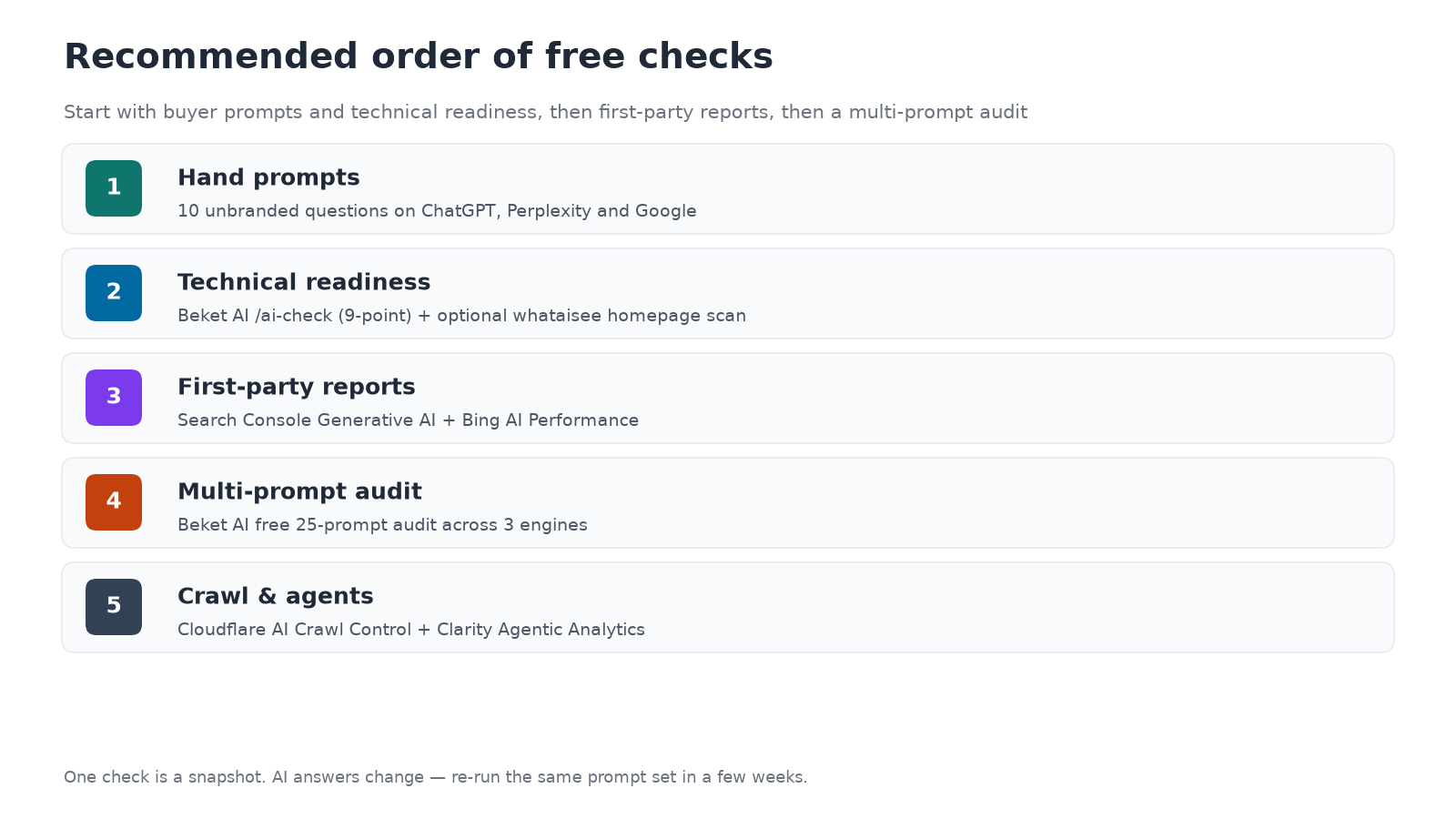
Recommended order for a local or SMB owner
Do these in order. Stop when you have enough to act; you do not need every tool on day one.
- Hand prompts first. Ten unbranded questions on ChatGPT, Perplexity and Google. You learn the language your buyers use and whether you appear at all.
- Technical readiness next. Run Beket AI /ai-check and, optionally, whataisee.com on the homepage. Fix blocked AI search bots and empty JS-only shells before you chase mentions.
- First-party reports. Open Search Console's Generative AI report and Bing's AI Performance report. These are free if the properties are already verified, and they ground you in what Google and Microsoft actually cite from your URLs.
- A multi-prompt audit. Run the free 25-prompt Beket AI audit (or Pro if you want daily re-audits from 50 prompts). Pair it with a one-shot Ahrefs or Semrush brand check if you want a second vendor's snapshot.
- Crawl and agent analytics last. Turn on Cloudflare AI Crawl Control if you're on Cloudflare, and Clarity Agentic Analytics if agents booking or buying on your site matters.
One more habit: re-run the same prompt set in a few weeks. AI answers move. A single green check today can be a different shortlist next month, which is why a dated snapshot beats a vague feeling that "ChatGPT knows us."
Related posts
ChatGPT Business Hub Is Live: How to Claim Your Business and What It Shows (and Doesn't)
OpenAI's Businesses in ChatGPT beta is live. Claim your profile, see 28-day mentions and clicks, and learn what Business Hub still doesn't show.
5 AEO Strategies That Work in 2026 (Backed by Vancouver AI Studies)
Five AEO strategies from Beket AI Vancouver audits: treat each engine separately, track names vs citations, match buyer questions, earn third-party presence, measure AI apart from Maps.
Google AI Mode Checkout Is Live in Canada: Which Retailers Does AI Name? (2026 Study)
Google turned on AI Mode checkout in Canada. Our audit of 25 shopping prompts: Best Buy led; Shoppers and lululemon named on all three engines.