
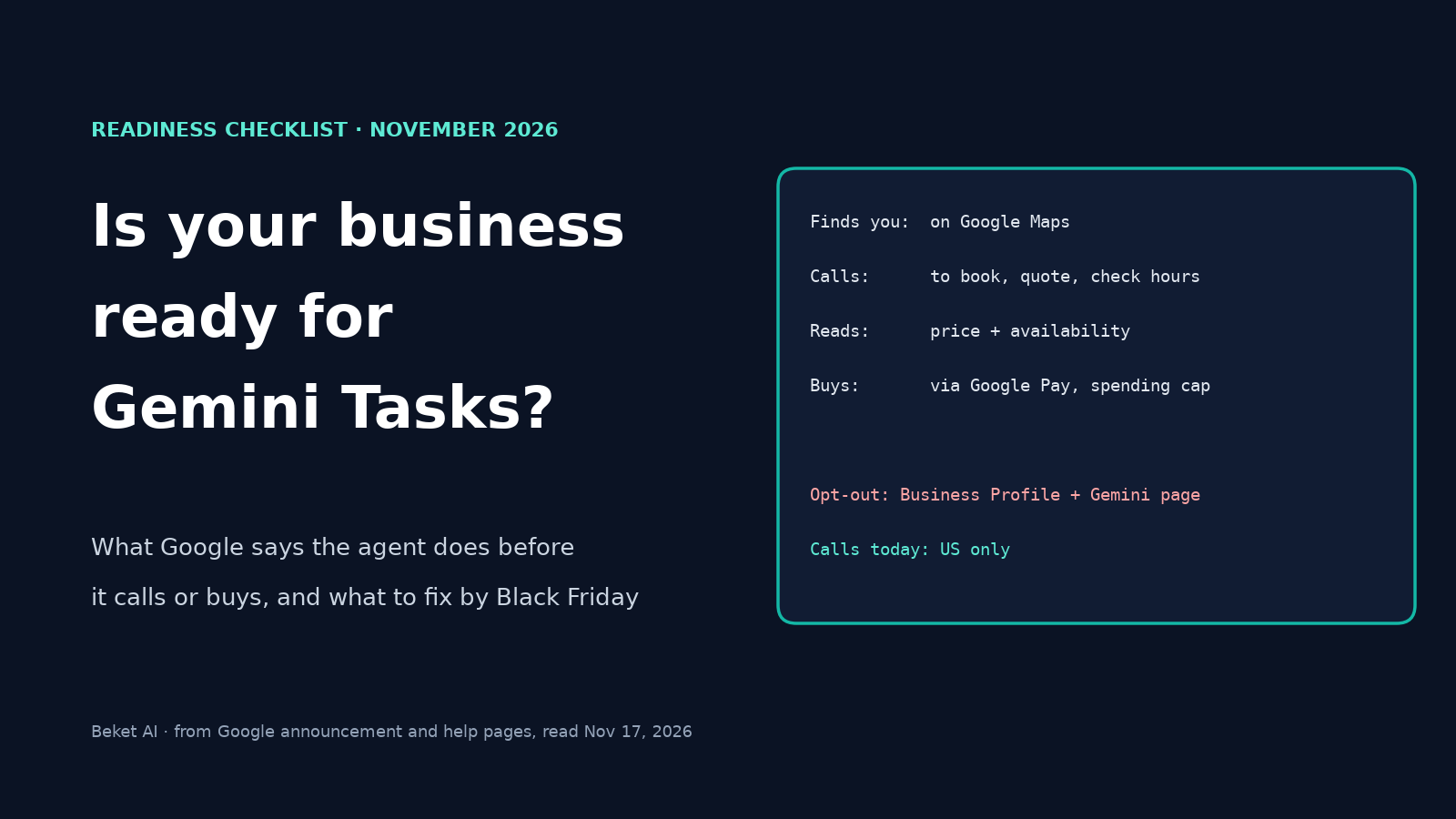
Is Your Business Ready for Gemini Tasks? What the Agent Checks Before It Calls or Buys

On November 17, 2026, Google made Tasks in Gemini free. Tasks is the agent that used to be the paid Spark. In the US it can now find a local business on Google Maps, phone it, and ask about prices, stock or openings, or book an appointment. If you take bookings or sell in store, this is a new kind of customer to get ready for, and you have until Black Friday (Friday, November 27) to prepare.
This guide covers what Google documents about those calls, the Business Profile fields that matter, inventory and pricing, firewall access for Google's agent, the phone opt-out, and a checklist to finish before Black Friday. Where Google hasn't said something, we say so rather than guess.
What Google announced on November 17
Google's announcement says Tasks is rolling out free in the US, Japan, Korea, Canada, Australia and India, on its new Gemini 4 Hydrogen model. The Verge adds that Spark launched in May for paid Google AI Pro and Ultra subscribers. The more advanced features start in the US only.
| Feature | What Google says | Where |
|---|---|---|
| Calling businesses | Gemini finds nearby businesses on Google Maps and calls them, in parallel, to get prices, check inventory or book appointments | US only, not currently available in Indiana, Louisiana, Minnesota, Montana and Nebraska |
| Buying | Checkout through Google Pay, using the Agent Payments Protocol (AP2) with Visa and Mastercard, American Express "coming soon", and a spending cap the user sets | US launch |
| Signing in to sites | Uses Google Password Manager | US launch |
| Tasks by text or email | Forward an email to gemini@google.com or text Gemini | US, with a US phone number |
Two details matter for business owners. First, Google says Gemini "disclosed right away that it's an AI" on its example call, and that "businesses can opt out whenever they want." Second, Google says the web is still adapting: on some sites Gemini gets most of the way through a task and then hands the screen back to the person to click the final button.
If your business is in Canada, the calling feature isn't aimed at you yet. Google's Business Profile help page lists automated calls to book appointments and confirm prices as US-only for now, and Gemini's own calling help page says it can only call US phone numbers. The site and shopping parts of Tasks are a different matter, and Canadians have access to Tasks itself.
What the agent does on a call, and what Google hasn't said
Google's example was a car service. The user asked Gemini to call the two nearest dealerships for an early Friday appointment. Gemini found them on Google Maps, called both at once, and, in Google's words, "booked an appointment at the shop that accepts appointments vs. walk-ins only." Then it put the booking on the user's calendar.
Google's help page for businesses describes the calls it makes on a customer's behalf. It says Google may call to:
- book an appointment, after the customer gives details like time and service
- confirm the price and availability of your products or services
- check your opening hours
- check the status of in-demand inventory
The page also says the calls are monitored and recorded, that Google limits repeat calls for the same information, and that it avoids late-night and early-morning hours. If your business works with an online booking provider, "Google may book through the partner or by calling your business directly."
What Google doesn't say in the pages we read: how Tasks picks which businesses to call. Search Engine Journal's write-up of Google's Ask Maps calling notes that when Google launched AI calling in Search in 2025, a spokesperson said the AI picks businesses based on traditional local search rankings. That was about Search, and Google's Tasks post doesn't repeat it. Treat your normal Google Maps visibility as the likely starting point, not a documented rule.
Fix your Business Profile first
Google's own example started on Maps, so your Business Profile is the first thing a Tasks call would meet. These are the fields to check, each tied to Google's help pages.
| Field | What to check | Google's documentation |
|---|---|---|
| Hours | Main hours are right, including breaks. Add special hours for holidays and events, including closures of up to six days in a row | Edit your business hours |
| Booking links | Add a link that lets a customer finish booking. Google allows several links per category and lets you mark one as "Business preferred" | Manage your local business links |
| Link rules | The link must go to a dedicated page for that location and let the customer complete the action. It can't be a social, messaging, app-store or link-shortener link. Google checks links regularly and may remove ones it can't crawl | Business links policies |
| Services and prices | Where the services editor is available for your category, add services with descriptions and prices | Manage your services |
| Phone number | Google calls the number on your profile. Make sure it's answered during your hours | Automated calls from Google |
| Attributes | Review the attributes your category offers under Edit profile, More. Google says which ones you can edit depends on your category and location | Manage your business attributes |
Two of these deserve more than a line.
Appointment or walk-in. Google's example shows an agent choosing the shop that takes appointments over a walk-in-only one. We can't tell you how Tasks scores that, but the lesson is cheap to act on: say plainly, on your profile and your booking page, whether customers book ahead or walk in. If you have a booking link, test it as a stranger would. Third-party guides mention "appointment required" and "online appointments" attributes for some categories, but Google's attributes page doesn't list them, so only set one if your own edit screen offers it.
Prices. Google says that if you share price and availability details when it calls, the customer gets an email or text with your quote. A business that already publishes clear starting prices or call-out fees on its services list and its site gives that call less to improvise.
Our own research found the same pattern in what people ask. In 67 questions from our Seattle audits, only 9 asked who is best. The rest asked about a neighborhood, a specific job, a price, or a time of day, which is the kind of detail an agent also needs before it can call. If you also want your profile ready for Gemini more broadly, see what connecting a Business Profile to Gemini means.
Inventory and pricing for stores that sell products
For in-store products, Google gives retailers a way to answer before the phone rings. Google's Business Profile help page says: "If you've already shared your in-store product details via Google Merchant Center, Google will use that information and will not call your business to ask about inventory." That sentence is about Google's automated calls from Search and Maps. Google's Tasks post doesn't say the same rule applies to Tasks, so treat it as a strong hint, not a promise.
If you want to set it up, the local inventory data specification lists what to send for each store:
- ID, matching the product ID in your main product data.
- Store code, which Google says is case-sensitive and must match the store codes in your Business Profiles.
- Availability, one of in stock, limited availability, on display to order, or out of stock.
- Price, optional, for when prices differ by store. For the US and Canada, don't include tax.
If your website doesn't show store-by-store stock, Google's in-store availability hosted on Google option lets Google build the view, but you have to complete inventory verification, which checks that your Merchant Center values match what's in the store. Our guide to getting your Black Friday offer into Google's AI answers walks through offers, special hours and local inventory in more detail.
For online checkout, Google says Gemini compares products using its Shopping Graph and pays through Google Pay with AP2 tokens. It also says integrating the Universal Commerce Protocol (UCP) is "up next," with no date given. Keep your feed prices and your page prices in sync, so an agent never has two prices to choose between.
Let Google's agent through your firewall
A call isn't the only way Tasks can touch your business. It also browses sites. Google says it is "partnering directly with major websites and security providers" because bots were "blocked by default" for decades.
Google publishes a separate guide for site owners on its agent, called Google-Agent. We covered it step by step in how to let Google-Agent into your store without letting scrapers in: match the user agent and the published IP ranges, then skip bot challenges for verified requests, and make sure the allow rule is evaluated before anything that could override it.
One caution. In the pages we read, Google's Tasks post doesn't say that Tasks browses as Google-Agent, and Google's Google-Agent guide doesn't list the products that use it. It describes the name as the one "used by agents hosted on Google infrastructure to navigate the web and perform actions upon user request." That matches what Tasks does, but it's our inference. Before Black Friday, test your booking and checkout pages as a logged-out visitor, and check that nothing in your bot protection asks for a CAPTCHA partway through.
The phone opt-out: two controls, and neither is confirmed for Tasks
Google's Tasks post says businesses can opt out, without linking to a setting. Google documents two opt-outs for calls from its AI, and it doesn't say which one governs Tasks. Search Engine Journal raised the same question about Google's Ask Maps calling this week.
| Control | What it covers | How |
|---|---|---|
| Business Profile setting | Google's automated calls on behalf of customers using Search or Maps | In a verified profile, go to More, Business Profile settings, Advanced settings. Under "Google automated calls and text messages," turn off "Bookings and inquiries from customers." See Manage advanced profile settings |
| On the call | The call in progress | Say "Please stop calling my business" or "Please remove my business from your list" |
| Gemini calling opt-out | Automated calls from other Gemini users | Enter the number on Google's opt-out page (short link: g.co/gemini/opt-out), verify it with a six-digit code by text or call, and choose Opt out. The number goes on a block list |
Google's note on the first control: after opting out, "you may still occasionally get manual calls from Google to confirm your business information." The Business Profile page also says the same area has separate switches for calls that keep your profile up to date and for posts Google makes on your behalf.
Should you opt out? It's your call, but it's a tradeoff. A business that opts out won't get these calls, so the agent may have nothing to report about it and the customer may only hear about your competitors. A business that stays in needs a phone that gets answered and a team that knows the call is coming. Since we can't confirm which control covers Tasks, if you decide to opt out, use both the profile setting and the Gemini page. If you stay in, check that you haven't blocked your number on the Gemini page.
Your checklist before Black Friday (November 27)
Thanksgiving is Thursday, November 26, so aim to finish by Monday, November 23. Items marked "our advice" are suggestions from Beket AI, not Google requirements.
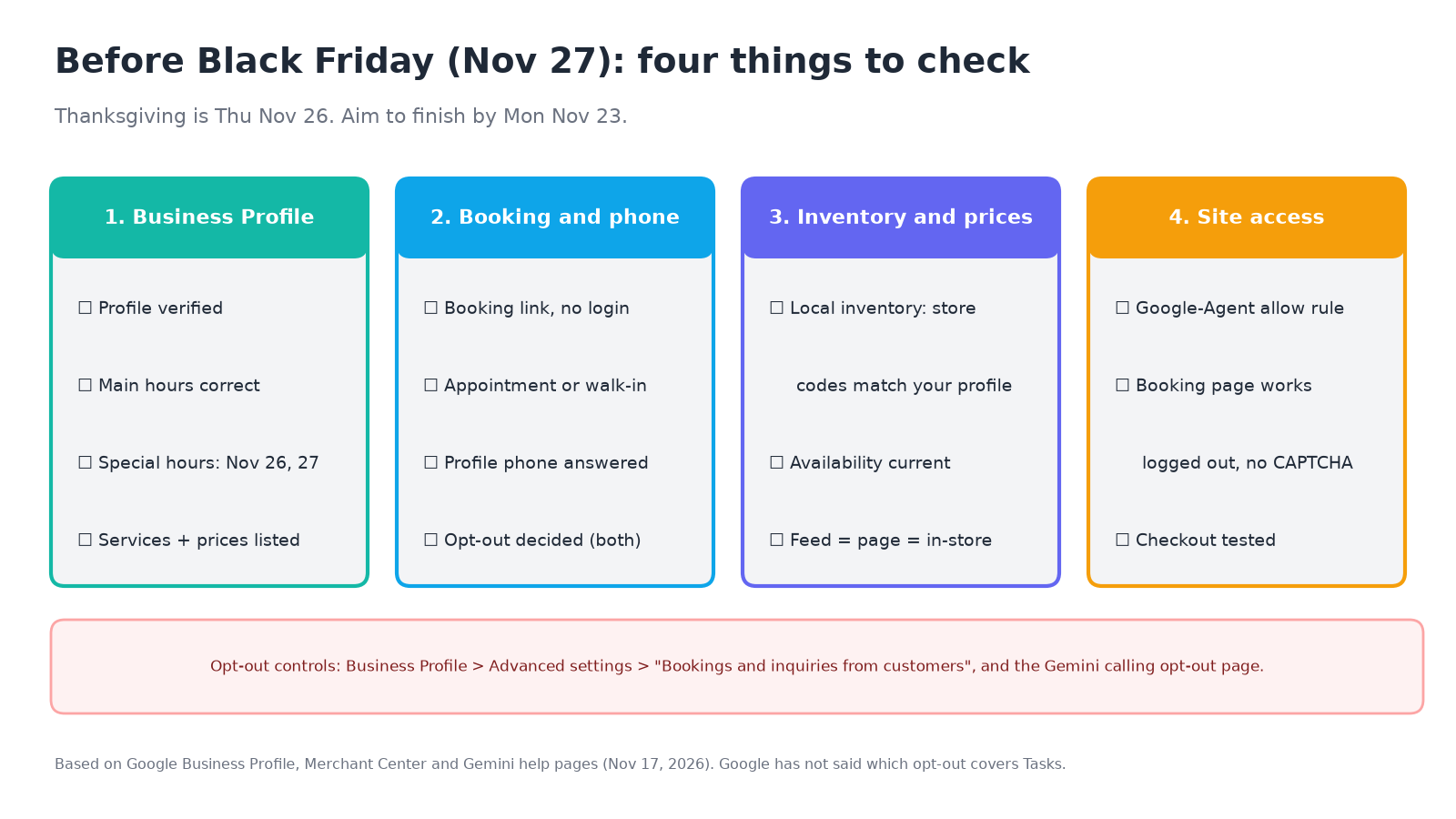
Business Profile
- ☐ Your profile is verified. Google requires this to add business links, change advanced settings or opt out.
- ☐ Main hours are correct, and special hours are set for Thursday, November 26 and Friday, November 27.
- ☐ Your services list has descriptions and, where you can, starting prices.
Booking and phone
- ☐ You have a booking link that goes to a dedicated page and lets a customer finish booking without a login or CAPTCHA. It's set as your preferred link.
- ☐ Your profile and booking page say whether customers need an appointment or can walk in.
- ☐ The phone number on your profile is answered during your hours (our advice: give staff a one-line script such as "that's Google's AI calling for a customer, here's the price and the next opening").
- ☐ You have decided on the opt-out, and set both controls the same way if you opt out.
Inventory and prices
- ☐ If you sell in store, your local inventory has store codes that match your Business Profile and current availability.
- ☐ Feed prices, page prices and in-store prices match.
Site access
- ☐ Your CDN or firewall has a rule for Google-Agent, and your booking and checkout pages work for a logged-out visitor (see our Google-Agent checklist).
After you finish
- ☐ Check your profile for edits marked "Pending." Google says updates from its calls are reviewed and marked pending, and the review can take up to five business days. You also get an email whenever Google posts on your behalf, and you can edit or remove it.
- ☐ Ask Gemini and Google's AI Mode the questions a customer would ask, such as "find me a plumber near me who can come Friday morning," and write down which businesses come up.
Check what the AI engines say about you
Tasks is the newest way for a customer to meet your business through AI. It's one of several, and you still want to know what each engine says. Beket AI tracks six engines: ChatGPT, Gemini, Perplexity, Microsoft Copilot, Google AI Overviews and Google AI Mode. A free Beket AI audit runs 25 prompts on any 3 of those 6, so you can see which businesses the engines name for the questions your customers ask. It shows what the engines say. It doesn't show whether Gemini Tasks would call you, and it doesn't change your profile, your feed or your firewall. Those stay with you.
Google will keep changing how Tasks works, and its help pages are the source to watch. We've read them as of November 17, 2026, and we'll update this guide if Google says which opt-out covers Tasks.
Related posts
How Does ChatGPT Shopping Work? How It Picks Products, Explained for Merchants
How ChatGPT shopping works in 2026: where product data comes from, how ChatGPT picks products and ranks stores, which labels it writes, and what changed with shopping research and Instant Checkout.
Are ChatGPT Answers the Same for Everyone? How Persona, Memory and Location Change Recommendations
No. ChatGPT answers change with chance, who's asking, Memory and location, and Google AI Mode personalizes too. What each layer does and how to test your brand cleanly.
How to Let Google-Agent Into Your Store Without Letting Scrapers In (2026 Checklist)
Google's new guide shows how to let its AI agent through your CDN and firewall. A checklist built on Google's checks, with Cloudflare steps, before Black Friday.