
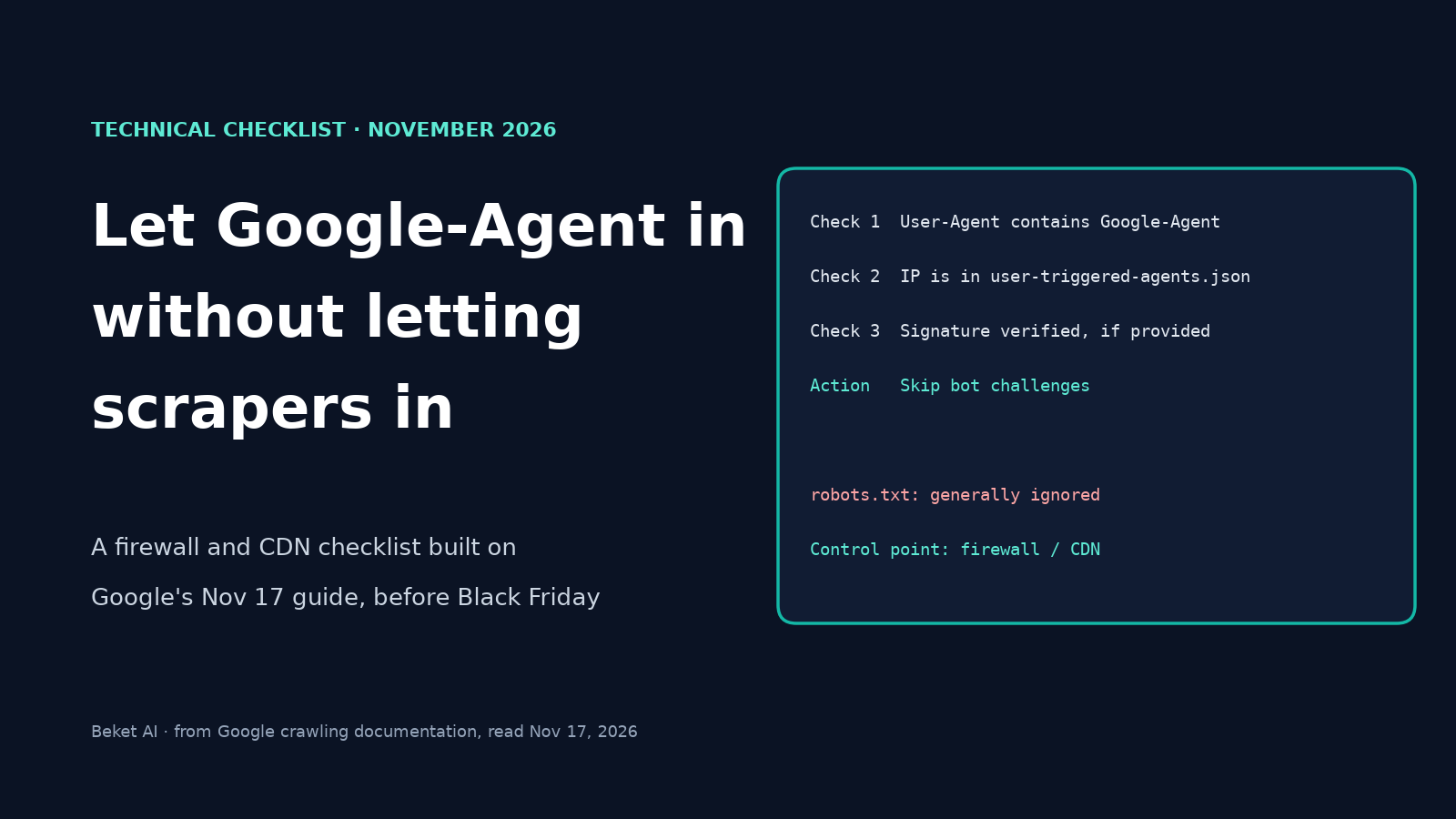
How to Let Google-Agent Into Your Store Without Letting Scrapers In (2026 Checklist)

Google-Agent is the AI agent Google runs to browse sites and act for a person who asked it to. To let it through, you change your firewall, CDN or bot-detection rules. Your robots.txt file isn't the control, because Google says its user-triggered fetchers "generally ignore robots.txt rules." On November 17, 2026, Google published a short guide for site owners on how to allow it. Black Friday is November 27, so a store that blocks shopping agents by accident has about a week to find out.
This checklist follows Google's guide. It covers the four rules Google gives for allowing Google-Agent, then the six checks Google lists for when requests are still blocked. After each Google check you'll find what to do on Cloudflare, where Cloudflare documents it, and how to keep scrapers out while you do it.
What Google-Agent does, and why robots.txt isn't the control
Google defines it in one line: "Google-Agent is the name used by agents hosted on Google infrastructure to navigate the web and perform actions upon user request" (Google). It sits on Google's list of user-triggered fetchers, and that page says: "Because the fetch was requested by a user, these fetchers generally ignore robots.txt rules" (Google).
So the decision to let it in or keep it out happens at your CDN, firewall or bot-detection layer. That matters for stores because the agent is expected to do more than read a page. Google's troubleshooting list names on-site search, filtering, clicking into detail pages, add-to-cart and booking, plus the XHR, GraphQL and api.* calls behind them. Google's guide doesn't say which Google products use the agent. For background on the difference between crawlers, user-triggered fetchers and agents, see our explainer on whether you should block AI bots.
The risk is real for shops. Search Engine Roundtable's write-up quotes the guide's purpose: allowing the agent helps "prevent legitimate requests from being blocked while preserving your existing security controls" (Search Engine Roundtable). PPC Land, which read the guide closely, points to a Blend audit of 200 UK and US retailers in which bot protection blocked Blend's AI shopping agent at 29 of them (PPC Land). That's a third party's test of a different agent, but it shows how often default bot settings get in the way.
How to recognise a real Google-Agent request
Google gives three signals. A request is Google-Agent if it matches all the ones that apply:
| Signal | What Google says | What to know |
|---|---|---|
| User-Agent header | Contains "Google-Agent" | Google lists a mobile and a desktop string. The Chrome version is a placeholder (W.X.Y.Z), and on desktop the token sits inside the "KHTML, like Gecko" parentheses, so match on "contains", not on a full string |
| IP address | In user-triggered-agents.json |
Google publishes the file at developers.google.com/crawling/ipranges/user-triggered-agents.json. When we opened it on November 17, 2026, it was dated that day and listed 20 prefixes: 12 IPv4 and 8 IPv6 |
| Signed headers (optional) | Google is "experimenting with the Web Bot Auth protocol" using the https://agent.bot.goog identity |
Participating requests carry Signature-Agent: g="https://agent.bot.goog" plus Signature and Signature-Input headers labeled g. The public keys are at https://agent.bot.goog/.well-known/http-message-signatures-directory |
Don't trust the first signal on its own. Google's own fetcher page cautions that "the user agent string can be spoofed." Anyone can put "Google-Agent" in a header, so a rule that allows on the user agent alone lets scrapers walk in. This is how the checklist keeps them out: every allow rule below requires the IP check, and checks the signature when one is present.
The checklist: allow it in (Google's four rules)
Google says that if your service doesn't verify Google-Agent for you, you can verify and allow requests with these rules. Some providers do it automatically: Google says "Some bot-detection services, CDNs, and Firewalls provide ways to verify requests made by the Google-Agent user agent and allow these requests; refer to your provider for the exact steps." Check your provider's docs first.
- Match the User-Agent. Confirm the header contains
Google-Agent. - Match the IP range. Confirm the address is in
user-triggered-agents.json. This is the check a scraper can't pass by editing a header. - Verify the signature, if there is one. If provided, confirm the
SignatureandSignature-Inputheaders forSignature-Agent: g="https://agent.bot.goog"according to Web Bot Auth. Because Google says "if provided," don't block a request just because it's unsigned. PPC Land reports Google's separate Web Bot Auth page says only a subset of Google-Agent requests is signed. - Skip bot challenges for verified requests. Google's wording: "For verified requests, skip bot challenges."
Write your allow rule so that steps 1 and 2 must both be true. Step 3 can tighten it further, but not replace the IP check, since some requests will arrive unsigned.
The checklist: make sure the allow rule wins (Google's six troubleshooting checks)
Allowing the agent in one rule isn't enough. Google lists six reasons legitimate requests can still be blocked. Each is a quick check on your own setup.
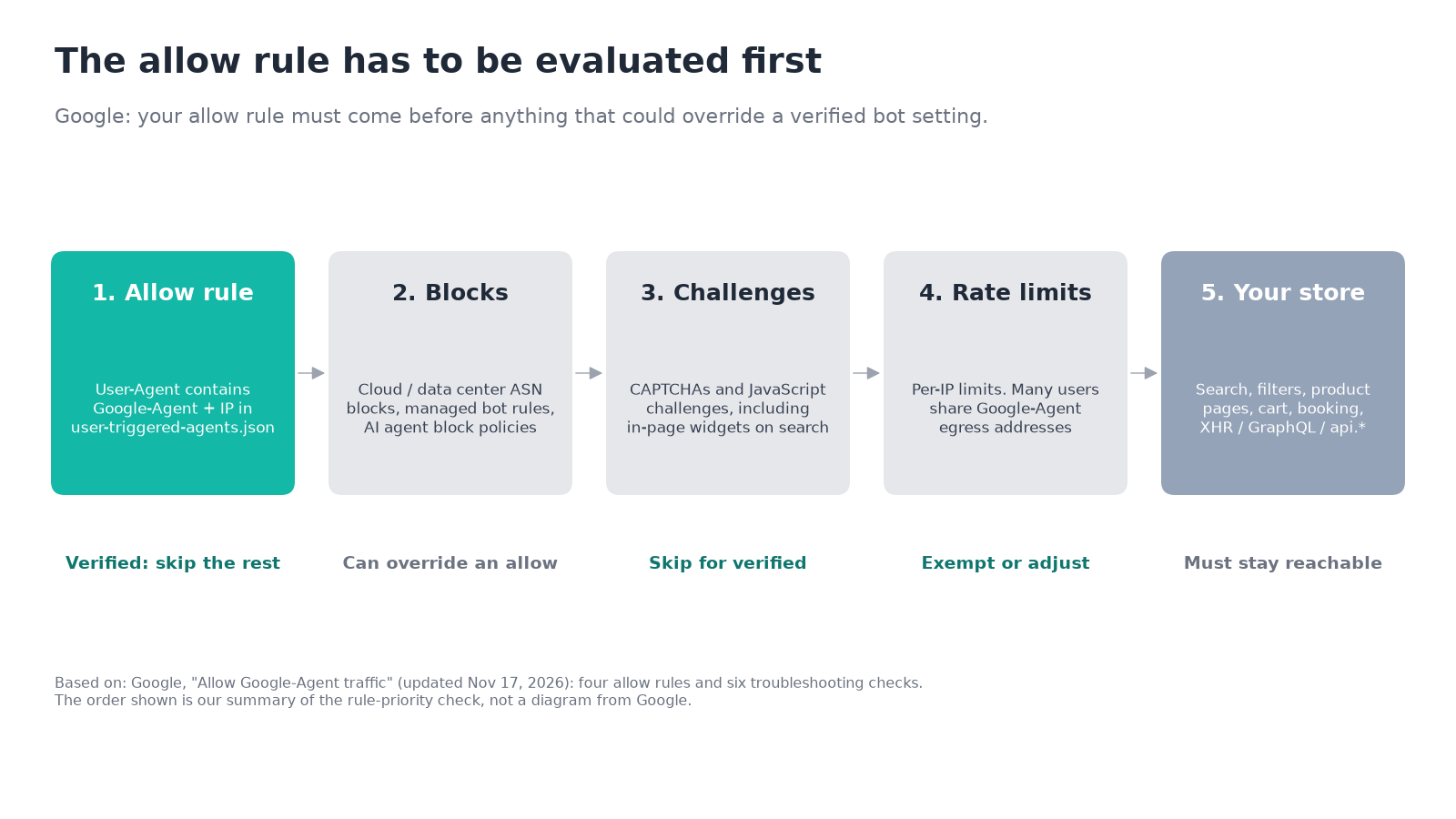
- Rule priority. Google: "Confirm that your allow rule has higher priority than (and evaluates before) broad cloud or data center ASN blocks, managed bot rules, or category-level AI agent block policies that could override a verified bot setting." In plain terms, list your rules in order and make sure the allow rule is first. If you ever switched on a block for AI agents as a category, this is the check that matters most.
- Interactive challenges. Google: "Confirm that your rule skips interactive CAPTCHAs and JavaScript challenges in addition to HTTP blocks, including standalone in-page CAPTCHA widgets triggered on search or form submission." Look at your store's search box, filters and checkout forms. A CAPTCHA widget added to those by a plugin or a separate service may sit outside your CDN rules.
- The whole journey, not just the homepage. Google: "Confirm that allowing these requests covers actions beyond initial homepage loads, including on-site search, filtering, clicking into detail pages, add-to-cart, booking, and underlying XHR, GraphQL, or
api.*endpoints." If your bot rules are stricter on/api/or/cart/paths than on the rest of the site, the agent can load a product and fail at the next click. - Shared-IP rate limits. Google: "Confirm that per-IP rate-limiting rules account for or exempt verified
Google-AgentIP ranges, as concurrent requests from multiple users share the same egress pool." A limit of so many requests per minute per address can cut off many shoppers at once, because they all arrive from the same Google addresses. - Keep the IP ranges current. Google: "Confirm that IP-based rules stay synced with the latest ranges in
user-triggered-agents.json." A list pasted into a rule once will go stale. Put the ranges in one list that your rules refer to, and schedule a refresh. - Proxy headers. Google: "Confirm that load balancers and intermediate proxies preserve the original client IP, the
User-Agentheader, and (for signed requests) theSignature,Signature-Input, andSignature-Agentheaders." If a proxy in front of your CDN rewrites the client address, your IP check will see the proxy's address and reject real Google-Agent requests.
What this looks like on Cloudflare
Google names no CDN. Cloudflare does document the pieces you need, and they map to the checklist like this:
| Google check | Cloudflare setting | What Cloudflare documents |
|---|---|---|
| Rule priority (5) | WAF custom rules | "Custom rules execute before Super Bot Fight Mode managed rules." A rule that takes a terminating action such as Block or Managed Challenge stops the request before it reaches bot settings |
| Skip challenges and limits (4, 6, 8) | The Skip action | A skip rule can skip rate limiting rules, Managed Rules and Super Bot Fight Mode rules. The Skip option is available in custom rules, not in the built-in bot toggles |
| IP range (2, 9) | Custom IP lists | Lists are referenced in expressions as <FIELD> in $<LIST_NAME>, for example ip.src in $your_list_name |
| User agent (1) | The http.user_agent field |
The HTTP User-Agent request header |
| Category-level block (5) | AI Crawler and Agent access policies | In Security > Settings, you can choose Block, Block on pages with ads, or Allow for the Agent behavior. For new domains, Search, Agents and Training default to Allow |
| Proxy headers (10) | ip.src |
The client TCP IP address, "which may be adjusted to reflect the actual address of the client using HTTP headers such as X-Forwarded-For or X-Real-IP" |
Putting those together, a rule built from documented parts would look like this. It's our illustration, not Cloudflare's or Google's:
Expression:  (http.user_agent contains "Google-Agent" and ip.src in $google_agent_ips)
Action:      Skip
Skip:        All remaining custom rules, All rate limiting rules, All Super Bot Fight Mode rules
$google_agent_ips is a list you'd create from user-triggered-agents.json, and you keep it updated. Place the rule above every other custom rule. We'd leave WAF Managed Rules out of the skip list, so the normal protection against attacks still applies. Cloudflare documents that you can skip them, but Google's goal is only to get past bot challenges and limits.
Two cautions. First, the Cloudflare pages we read don't say how Cloudflare classifies Google-Agent, so we can't tell you whether it falls under the Agent policy or a verified bot setting. Check Security Analytics and your logs to see how your own zone treats it. Second, if your Agent policy is set to Block or "Block on pages with ads," see what a verified-request rule does against that setting before assuming it wins. Our Should You Block AI Bots? guide covers how the old "Block AI Bots" switch moved into the Agent policy this fall, and our Cloudflare AI Crawl Control guide shows where to see which crawlers visit.
On another CDN or WAF, Google's advice stands: ask your provider whether it already verifies Google-Agent, and if not, rebuild the same four rules with the same ordering.
How to let Google-Agent in without letting scrapers in
Allowing one named agent doesn't open the door to everyone. These habits keep it narrow:
- Require the IP match. The user agent is a label, not proof. The IP list is the check a scraper can't copy.
- Leave unmatched look-alikes alone. A request that claims to be Google-Agent but comes from outside the range isn't Google-Agent. Treat it like any other unverified bot. Our guide to verifying Googlebot, GPTBot and other AI crawlers shows how to catch the fakes.
- Don't widen the rule. Don't allow a whole category, a cloud provider's ASN, or "anything with Google in the user agent." A broad allow rule undoes your bot protection for everyone, not only for Google.
- Keep protection on the sensitive paths. An allow rule for verified Google-Agent traffic doesn't change how you handle logins, account pages or payment steps. Leave your own controls on those, and keep fraud and card-testing rules active for everyone else.
- Stay narrow on cost. If an endpoint is expensive, such as search or inventory, keep rate limits on it for unverified traffic.
A test plan for the week before Black Friday
- Look for blocked requests today. Search your CDN analytics and server logs for
Google-Agentin the user agent. Count 403, 429 and challenge pages by path. Our guide on seeing which AI agents visit your site shows how to read them. - Add the rule in log mode first. Cloudflare lists Log as a custom-rule action for "testing rules before enforcement." Confirm it matches real requests, then switch it to Skip.
- Walk your own funnel. Search, filter, open a product, add to cart, start checkout. Note every CAPTCHA, interstitial and rate-limit response, since those are what the agent would meet.
- Check the order of your rules. The allow rule must be first, above ASN blocks, managed bot rules and AI agent block policies.
- Set a refresh date for the IP list. Add it to the same calendar as your other pre-sale checks, and re-check after each change to your bot settings.
- Freeze changes. Avoid switching bot settings during the sale without re-running steps 1 to 4.
What Google's guide doesn't tell you
The guide is short, and some questions are open. PPC Land notes it gives no volume figures, doesn't say what share of requests is signed, doesn't name the Google products that use the agent, and doesn't say how to block the agent. That last point matters if your answer is "no": the guide only covers how to let it in. Whether to allow it is still your decision. A store that sells through AI recommendations has good reason to say yes. A site whose pages are paywalled or ad-funded may decide differently, and our block AI bots decision table walks through that by business type.
How Beket AI fits
Firewall rules decide whether Google's agent can reach your store. They don't show whether AI tools recommend you once they do. Beket AI's Cloudflare integration reports AI crawler activity per site, which helps you see who is visiting. It doesn't verify Google-Agent requests or change your rules, so do that in your CDN.
Related posts
SE Ranking vs Surfer SEO: An AI Visibility Review Roundup (2026)
SE Ranking reviews vs Surfer SEO reviews for AI visibility: which engines each tracks, price per prompt, and what independent testers found when they checked the numbers.
How Does ChatGPT Shopping Work? How It Picks Products, Explained for Merchants
How ChatGPT shopping works in 2026: where product data comes from, how ChatGPT picks products and ranks stores, which labels it writes, and what changed with shopping research and Instant Checkout.
Do XML Sitemaps Matter for AI Search? What Each Engine Documents (2026)
The role of XML sitemaps in AI optimization: what Google, Bing, OpenAI and Perplexity document, what sitemaps can't do for AI answers, and an 8-step check.