
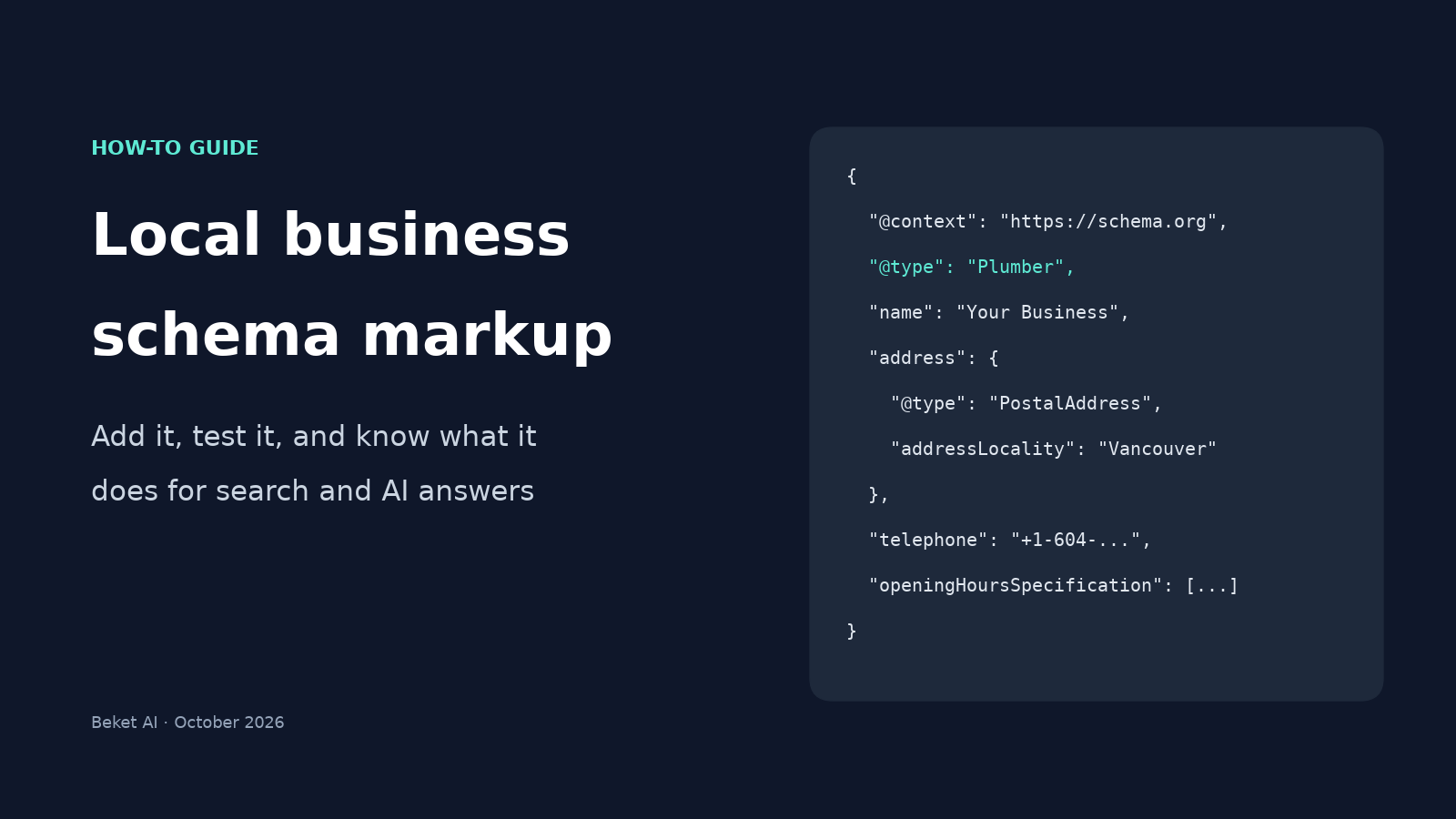
Local Business Schema Markup: How to Add It, Test It, and What It Does for AI Search

Your website already says your business name, street address, phone number and opening hours somewhere on the page. Local business schema markup says the same things a second time, in a fixed vocabulary that search engines can read without guessing. It is one of the few pieces of technical SEO a business owner can add, test and check on their own.
It is also easy to oversell, especially now that every business wants to show up in AI answers. Google's own documentation makes a much more modest promise. This guide covers both: how to add the markup step by step, and what it can and cannot do for you in classic search and in AI answers.
In this guide:
- Pick the most specific business type
- Collect your facts from what the page actually shows
- Write the JSON-LD
- Put it on the right page
- Test it with two free tools
- Keep it in sync
Plus: a table of common mistakes, a pre-launch checklist, and a plain-English look at what each search and AI engine has said about schema.
What local business schema markup is
Schema markup is a block of structured data, usually written in a format called JSON-LD, that sits in your page's HTML. Visitors never see it. It uses the shared vocabulary at schema.org, where LocalBusiness is the type for a physical business or branch, with more specific subtypes such as Plumber, Electrician, Dentist, MovingCompany and RoofingContractor.
Google explains what it does with it on its Local Business structured data page: when people search for a business, Google may show a knowledge panel with its details, and "with Local Business structured data, you can tell Google about business hours, different departments within a business, reviews (if your site captures reviews about other businesses), and more."
Note the words tell and may. Markup is a clear statement of facts, not a ranking switch.
How many sites actually use it
Fewer than you might think. The HTTP Archive Web Almanac 2024, an annual study of the HTTP Archive's web crawl, found the LocalBusiness type in the JSON-LD of 3.97% of mobile pages it crawled.
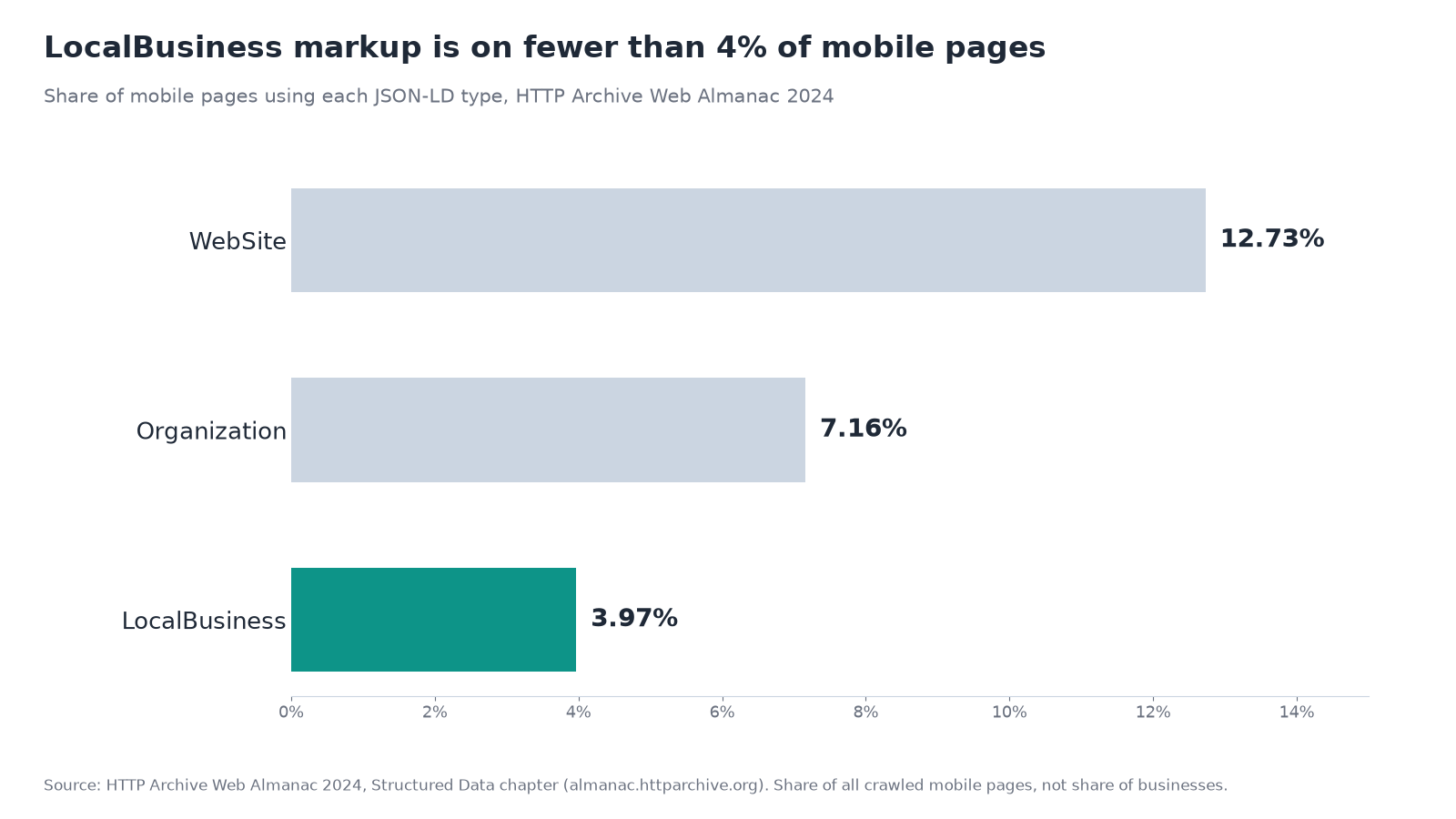
Source: HTTP Archive Web Almanac 2024, Structured Data chapter. Share of mobile pages, not share of businesses.
That figure covers every page on the web, most of which are not about a local business, so it does not tell you how many local businesses have markup. What it does show is that this is not a crowded field.
What schema does in search and AI answers, engine by engine
Before you spend time on it, set expectations. Here is what each company has said publicly.
| Where people find you | What the company has said about schema | Source |
|---|---|---|
| Google Search (classic results, knowledge panel) | Local Business markup can tell Google your hours, departments and more. Rich results are not guaranteed. | Google Search Central |
| Google AI Overviews and AI Mode | "There's also no special schema.org structured data that you need to add." Google lists "making sure your structured data matches the visible text on the page" among the SEO basics that still apply. | Google: AI features and your website |
| Bing and Microsoft Copilot | Microsoft's Fabrice Canel said at SMX Munich in March 2025 that schema markup helps Microsoft's LLMs understand content. | Search Engine Land |
| ChatGPT, Perplexity and others | No official public guidance on schema that we could find. Search Engine Land noted at the time that it was not clear whether these engines use it. | Search Engine Land |
So the honest pitch is this. Schema will not make an AI engine recommend you. It removes ambiguity about who you are, where you are and when you are open, for the search systems that many AI answers are built on. Bing matters more here than most local businesses assume; we have written about why one of your AI engines runs on Bing.
The same logic applies to new "AI files" for your site. Google says you don't need to create "new machine readable files, AI text files, or markup" to appear in its AI features, which matches what we argued in stop optimizing the things that don't move the needle. Schema is worth doing because it is cheap and standard, not because it is a trick.
Step 1: Pick the most specific business type
Google's guidance is to "use the most specific LocalBusiness sub-type possible." Browse the list of subtypes on schema.org/LocalBusiness and pick the one that matches what you do.
| If you are a... | Use this type | Instead of |
|---|---|---|
| Plumbing company | Plumber |
LocalBusiness |
| Electrical contractor | Electrician |
HomeAndConstructionBusiness |
| Dental clinic | Dentist |
MedicalBusiness |
| Moving company | MovingCompany |
LocalBusiness |
| Roofer | RoofingContractor |
HomeAndConstructionBusiness |
| Heating and cooling company | HVACBusiness |
LocalBusiness |
If you genuinely do more than one thing, Google accepts an array, for example "@type": ["Electrician", "Plumber"]. Google notes that additionalType isn't supported for this. Only list types you actually advertise on the page.
Step 2: Collect your facts from what the page actually shows
Google's general structured data guidelines are blunt: "Don't mark up content that is not visible to readers of the page." So before writing any code, copy these from the visible page (usually your contact or location page):
- Name, exactly as it appears on your signage and your Google Business Profile
- Street address, split into street, city, province or state, postal code and country
- Main phone number, with country and area code (Google asks for both)
- Opening hours, including any seasonal closures
- The page URL for this location
- Price range, if you show one (Google ignores it if it is 100 characters or longer)
- Map coordinates, to at least five decimal places, which Google requires for
geo - Your official profiles elsewhere: Google Business Profile, Facebook, LinkedIn, industry directories
Every one of these should match your Google Business Profile word for word. AI answers often pull from both, and conflicting hours or addresses are exactly the kind of thing that ends up repeated. We covered why that profile matters in your Google Business Profile is training the model too.
Step 3: Write the JSON-LD
Here is a complete example for a fictional Vancouver plumber. Replace every value with your own.
<script type="application/ld+json">
{
  "@context": "https://schema.org",
  "@type": "Plumber",
  "@id": "https://www.example.com/#business",
  "name": "Harbourline Plumbing",
  "url": "https://www.example.com/",
  "telephone": "+1-604-555-0142",
  "image": "https://www.example.com/images/storefront.jpg",
  "priceRange": "$$",
  "address": {
    "@type": "PostalAddress",
    "streetAddress": "1234 Example Street",
    "addressLocality": "Vancouver",
    "addressRegion": "BC",
    "postalCode": "V5K 0A1",
    "addressCountry": "CA"
  },
  "geo": {
    "@type": "GeoCoordinates",
    "latitude": 49.28100,
    "longitude": -123.04000
  },
  "openingHoursSpecification": [
    {
      "@type": "OpeningHoursSpecification",
      "dayOfWeek": ["Monday", "Tuesday", "Wednesday", "Thursday", "Friday"],
      "opens": "08:00",
      "closes": "18:00"
    },
    {
      "@type": "OpeningHoursSpecification",
      "dayOfWeek": "Saturday",
      "opens": "09:00",
      "closes": "14:00"
    }
  ],
  "areaServed": ["Vancouver", "Burnaby", "North Vancouver"],
  "sameAs": [
    "https://www.facebook.com/example",
    "https://www.linkedin.com/company/example"
  ]
}
</script>
What each part is doing:
@typeis the specific subtype from Step 1.@idgives this business a stable identifier, so other markup on your site can point to the same entity.nameandaddressare the only two properties Google lists as required. Everything else is recommended.openingHoursSpecificationfollows Google's format. To show a day as closed, Google says to set bothopensandclosesto"00:00". For holiday closures, addvalidFromandvalidThroughdates.areaServedandsameAsare schema.org properties. Google's Local Business page doesn't list them as supported for rich results, butsameAsappears in Google's own Organization markup examples and helps tie your site to your other official profiles. That matters if another company shares part of your name, a problem we described in your brand has a doppelganger problem in AI.
Leave out review stars. Google's review snippet guidelines say that if a business controls the reviews about itself, its LocalBusiness pages are "ineligible for star review feature." That includes reviews embedded through a third-party widget. aggregateRating on your own business page is for sites that review other businesses.
Step 4: Put it on the right page
- One location: Google's Organization guidance recommends your home page or a single page that describes your organization, such as the about page. You don't need it on every page.
- Several locations: give each location its own page and its own
LocalBusinessblock, with that branch's address, phone, hours and URL. Google asks thaturlbe "the fully-qualified URL of the specific business location." - Departments with different hours or phone numbers: use the
departmentproperty, as shown in Google's department store example.
The code goes inside the page's <head> or <body>. Most website builders and CMSs, including Webflow and WordPress, let you add custom code to a single page without a developer.
Step 5: Test it with two free tools
- Google's Rich Results Test. Paste the URL or the code. It shows whether Google can read the markup and flags critical errors (fix these) and non-critical warnings (worth fixing, but Google says they don't block eligibility).
- The Schema Markup Validator. It checks the markup against the full schema.org vocabulary, including properties Google doesn't use, such as
areaServed.
After you publish, open URL Inspection in Google Search Console to see the page as Google fetched it, and confirm it isn't blocked by robots.txt, noindex or a login. Google warns that it "may take several days after publishing a page for Google to find and crawl it."
Step 6: Keep it in sync
Markup goes stale the same way a website does. The two moments that matter most:
- When something changes. New phone number, new hours, a move. Update the page text, the markup and your Google Business Profile on the same day.
- Before holidays. Add a seasonal
openingHoursSpecificationwithvalidFromandvalidThroughinstead of leaving your normal hours in place.
If Google reports problems, the Search Console structured data reports and the Unparsable structured data report will show them.
Common mistakes and how to fix them
| Mistake | Why it's a problem | Fix |
|---|---|---|
| Review stars on your own business page | Google says self-controlled reviews make LocalBusiness pages ineligible for star results |
Remove aggregateRating and review about yourself |
| Markup describes something the page doesn't show | Against Google's general guidelines; can lead to a manual action | Only mark up facts visible on the page |
| Street address in markup but hidden on the site | Same visibility rule | Show the address on the page, or leave it out of the markup |
Generic LocalBusiness type |
Google asks for the most specific subtype | Use Plumber, Dentist, MovingCompany, etc. |
| Phone without country code | Google asks for country and area code | Use +1-604-... style |
| Coordinates with too few decimals | Google requires at least 5 decimal places for geo |
Copy precise coordinates from a map |
| Every branch marked up on the home page | Each location needs its own URL and details | One page and one block per location |
| Hours in markup differ from Google Business Profile | Conflicting facts can get repeated in answers | Update both on the same day |
Pre-launch checklist
- ☐ Most specific
@typechosen - ☐
nameand fulladdressincluded, matching the visible page - ☐ Phone number with country and area code
- ☐ Hours match the page and your Google Business Profile
- ☐
geocoordinates have at least 5 decimal places - ☐
urlpoints to this location's page - ☐ No review stars about your own business
- ☐
sameAslists only official profiles you control - ☐ Rich Results Test shows no critical errors
- ☐ Schema Markup Validator shows no errors
- ☐ URL Inspection confirms Google can fetch the page
The bottom line
Local business schema markup is an afternoon of careful copying, not a growth hack. Do it because it states your facts clearly to the search systems that many AI answers draw on, and because it keeps your website, your markup and your Google Business Profile telling the same story. Don't expect it to change what an AI engine recommends on its own. With 45% of U.S. consumers in BrightLocal's 2026 survey saying they used AI tools for local business recommendations in the past year, the useful next step is checking what those answers actually say.
That is what Beket AI does. It shows which of your customers' questions name your business on ChatGPT, Perplexity and Google AI Overview, and which name a competitor instead. A free Beket AI audit covers 25 prompts across 3 engines. Beket AI Pro is $49/month and re-audits daily, starting at 50 prompts across 3 engines. Run a free audit at beket.ai.
Guidance in this article reflects Google Search Central and schema.org documentation as checked on October 23, 2026.
Related posts
Google Put the AI Overviews Off Switch Next to Noindex. Most Businesses Should Leave It Alone
Google now lists its Search generative AI control beside noindex. What the AI Overviews and AI Mode opt-out removes, what it doesn't, and who should use it.
AI Search Sends Little Traffic. Here's Why Local Businesses Should Still Care
New studies put AI search traffic under 1% of Google organic in one dataset. Here's what click counts miss, and why local 'who should I hire' prompts matter.
Vancouver Electricians in AI Search: Google AI Overview Named BC Hydro Most (2026 Study)
We asked Google AI Overview and Perplexity the same 25 questions about Vancouver electricians. Only 6 of 21 electricians were named by both engines.