
Can ChatGPT Read JavaScript? What Each AI Crawler Sees in 2026 (and How to Test Your Site)

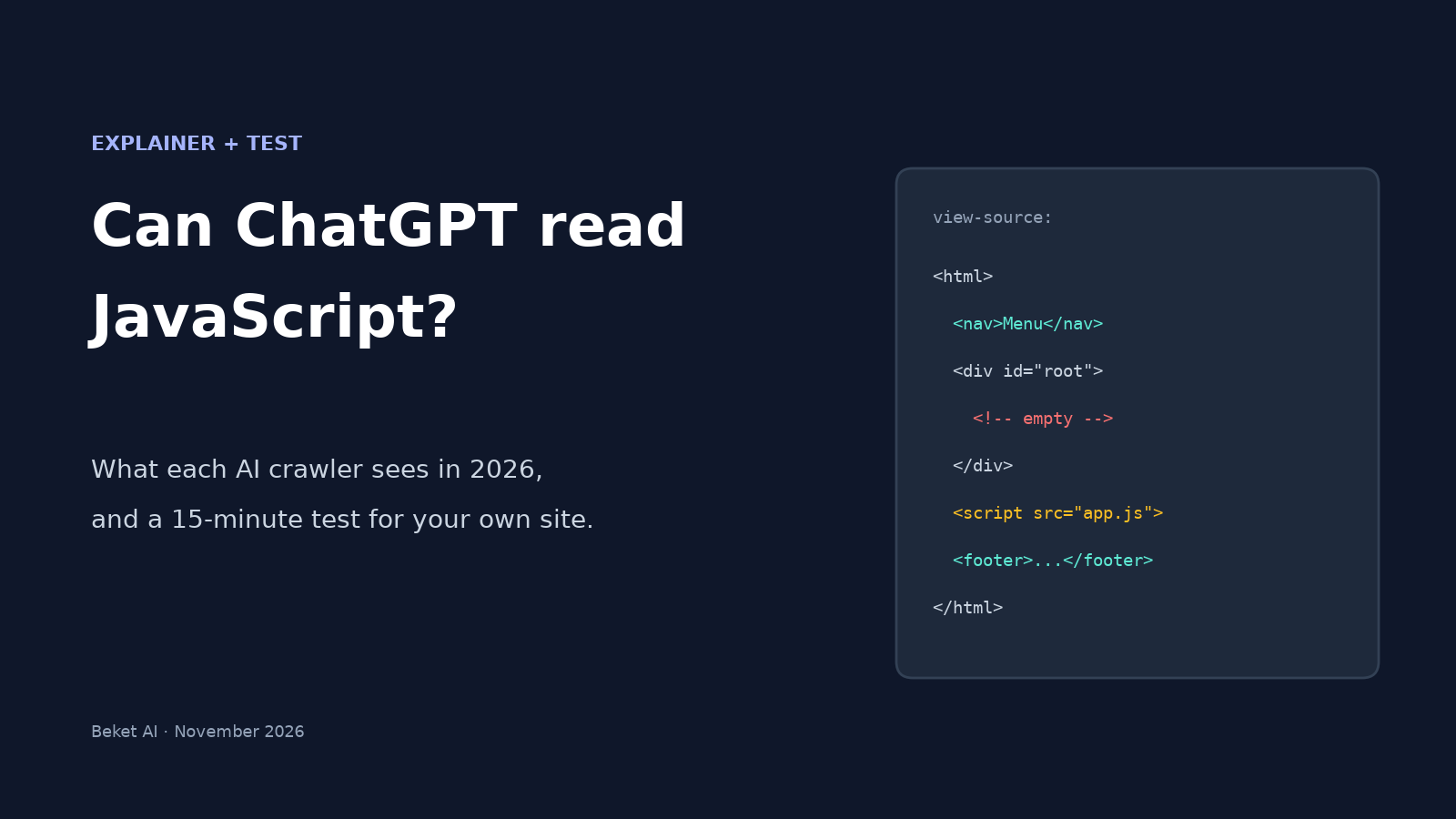
Open your homepage, right-click, and choose View page source. If the text your customers read isn't there, and all you see is a menu, an empty <div> and a stack of script tags, most AI assistants are probably reading the same empty page.
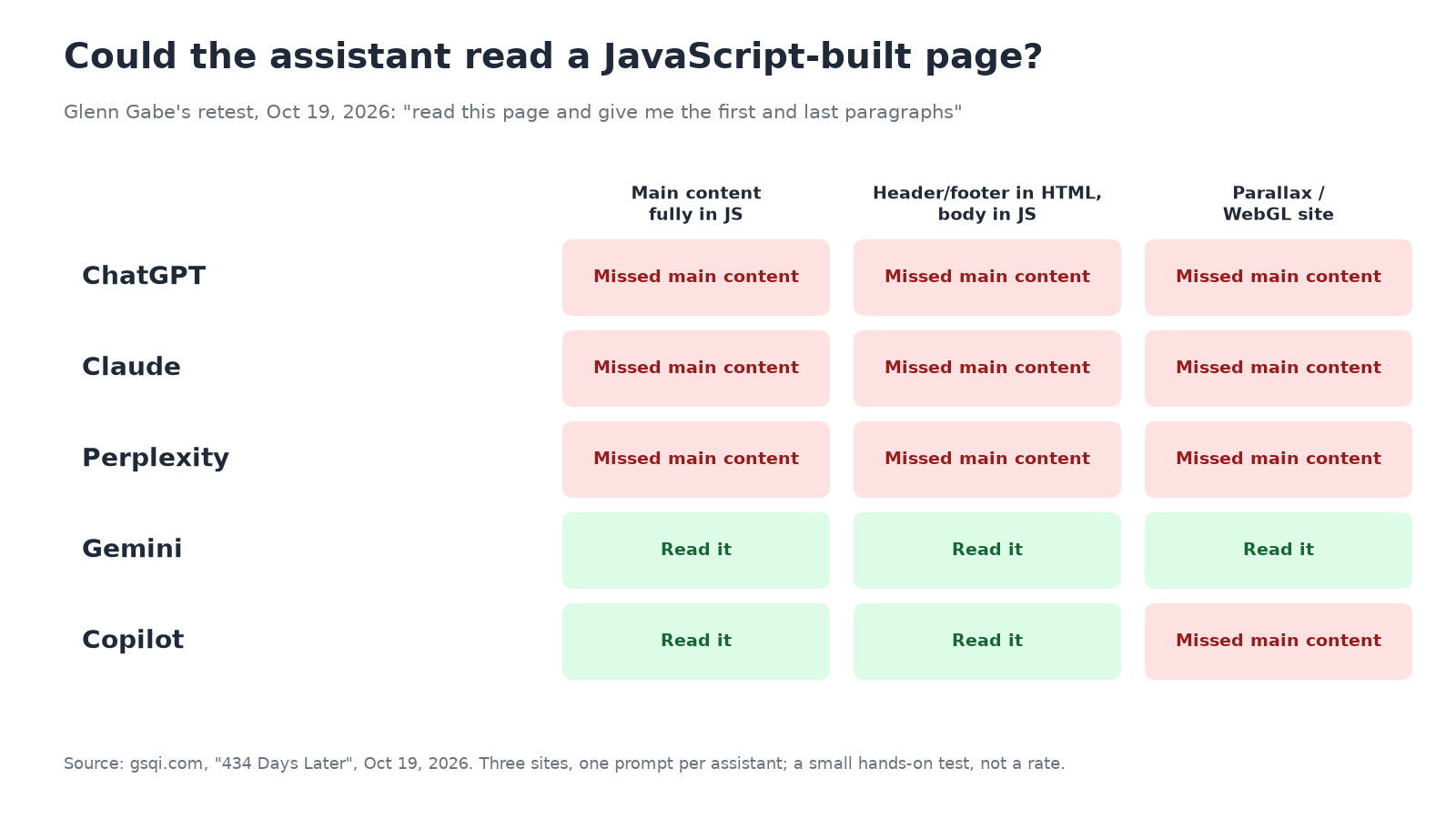
That's the practical answer to "can ChatGPT read JavaScript?" The longer answer changed a little this fall. OpenAI's search crawler now appears to run JavaScript on some pages, while the fetcher ChatGPT uses to open a page during a conversation still reads raw HTML only. In a hands-on retest on October 19, 2026, ChatGPT, Claude and Perplexity still missed the main content on all three JavaScript-heavy pages they were given.
This explainer covers what each crawler is known to do, why the evidence looks contradictory, and a 15-minute test you can run on your own site.
The short answer
- Text in the HTML your server sends: every major AI crawler can read it.
- Text that only appears after JavaScript runs in a browser: Google's systems (and so Gemini and Google AI features) can usually read it. Bing usually can too. ChatGPT, Claude and Perplexity often can't when they open your page to answer a question.
- OpenAI's search index: independent server-log reports from October 2026 show OAI-SearchBot running JavaScript on some pages, roughly half an hour after fetching the HTML. That helps, but you can't count on it for every page or every answer.
If the facts that win you customers, like services, prices, locations, hours and reviews, only load through JavaScript, you're leaving it to chance whether AI answers see them.
"ChatGPT" is really three different fetchers
Part of the confusion is that people say "ChatGPT's crawler" as if there were one. OpenAI's crawler documentation lists separate user agents:
- OAI-SearchBot builds the index behind ChatGPT search. Sites that block it won't be shown in ChatGPT search answers, though they can still appear as navigational links.
- ChatGPT-User visits a page when a ChatGPT user's request needs it. OpenAI says it isn't used to crawl the web automatically, and that robots.txt rules may not apply because a user starts the action.
- GPTBot collects content that may be used to train OpenAI's models.
Each one behaves differently, so a single test can look like it contradicts another. Our guide to GPTBot vs OAI-SearchBot vs Google-Extended explains which of these to allow in robots.txt.
What each AI crawler is known to do with JavaScript
The table pulls together the public evidence. "Reported" means independent tests or log studies, not vendor documentation. None of the AI vendors below publishes a rendering spec the way Google does.
| Crawler / assistant | Runs JavaScript? | Evidence |
|---|---|---|
| Googlebot (Google Search, Gemini, AI Overviews, AI Mode) | Yes, documented | Google renders pages with headless Chromium; Vercel/MERJ found Gemini uses Googlebot's infrastructure |
| OAI-SearchBot (ChatGPT search index) | Sometimes, reported since late Sept 2026 | Log studies from Create with Logic and Bogdan Ripa; Vercel/MERJ saw no rendering in Dec 2024 |
| ChatGPT-User (pages opened mid-conversation) | No sign of it | HTML only in both 2026 log studies; ChatGPT failed all three of Glenn Gabe's tests |
| GPTBot (training) | Unclear | No rendering in Vercel/MERJ; no ping across 6 fetches in Create with Logic's logs, though a September 2026 site-owner report it cites says GPTBot had started rendering |
| ClaudeBot / Claude's fetcher | No sign of it | Vercel/MERJ: fetched JS files but didn't run them; Claude failed all three Gabe tests |
| PerplexityBot / Perplexity | No sign of it | Vercel/MERJ; no ping across 11 fetches in Create with Logic's logs; failed all three Gabe tests |
| Bingbot (Bing, Copilot) | Often | Copilot read 2 of 3 Gabe test pages; bingbot ran the script once in Create with Logic's logs |
| Applebot | Yes, reported | Vercel/MERJ: renders through a browser-based crawler |
Two caveats apply to every row. These are small samples from a few sites, and crawler behavior changes without notice. Treat the table as the state of public evidence in November 2026, not a guarantee.
The 2024 study everyone still quotes
In December 2024, Vercel and MERJ analyzed AI crawler traffic across Vercel's network and concluded that "none of the major AI crawlers currently render JavaScript." That covered OpenAI's three bots, ClaudeBot, Meta-ExternalAgent, Bytespider and PerplexityBot.
The detail people miss is that ChatGPT's and Claude's crawlers did download JavaScript files: 11.50% and 23.84% of their requests. They just didn't execute them. So seeing .js requests from an AI bot in your logs doesn't mean it saw your rendered page. The same study noted that content already inside the initial HTML, such as embedded JSON data, may still be picked up.
What changed in fall 2026, and what didn't
Two independent log studies published in October 2026 found OpenAI's search crawler running JavaScript:
- Create with Logic put a small ping script on every page and watched its logs for 27 hours (Oct 14–15, 2026). OAI-SearchBot ran the JavaScript on 4 of the 7 pages it fetched, between about 2 and 29 minutes after the fetch. ChatGPT-User, PerplexityBot and GPTBot sent no ping. The author notes it's one site with 11 visits from OpenAI's search crawler, so it's "an observation, not a rate."
- Bogdan Ripa logged every request to a small Next.js site from Oct 8–22, 2026, and counted only requests from OpenAI's published IP ranges. He found OAI-SearchBot works as a two-stage pipeline. A fast fetcher grabs the HTML, and a headless Chrome comes back a median of 32 minutes later to render it, calling client-side APIs and a beacon only running JavaScript could reach. ChatGPT-User made 172 requests, all for HTML pages, with no CSS, images or JavaScript.
Then on October 19, 2026, Glenn Gabe re-ran a test he first published in 2025. He asked five assistants to read three JavaScript-heavy pages and return the first and last paragraphs. ChatGPT, Claude and Perplexity came back with navigation, footers, cookie banners or error text on all three. Gemini read all three. Copilot read two and missed a parallax site built on WebGL.
Why both findings can be true
The log studies and Gabe's test measure different moments:
- Index time. OAI-SearchBot can render some pages in the background, half an hour later, for ChatGPT's search index.
- Answer time. When someone asks ChatGPT about a specific page, ChatGPT-User fetches it live and reads the HTML. That's the path Gabe's prompt triggers.
You don't control which path a given answer uses. Some pages in Create with Logic's logs were fetched but never rendered, and the author couldn't say why. Google's guidance for its AI features is plain: as Gabe quotes it, "Google is able to process content within JavaScript as long as it isn't blocked." No AI-only vendor makes that promise. Our walkthrough of Google's AI optimization guide covers what else that guide does and doesn't say.
How to test your own site in 15 minutes
1. Look at the raw HTML
In Chrome, open view-source:https://yoursite.com/your-page or turn JavaScript off in the browser settings and reload. Then search the source (Ctrl+F) for a sentence from your main content, a price, your phone number and a service name. If they're missing, a crawler that doesn't run JavaScript won't see them on its first visit.
2. Fetch it like a bot
From a terminal, request the page with a crawler-style user agent and look for the same sentence:
curl -sL -A "Mozilla/5.0 AppleWebKit/537.36 (KHTML, like Gecko); compatible; ChatGPT-User/1.0; +https://openai.com/bot" https://yoursite.com/your-page | grep -i "a sentence from your page"
No match means the text isn't in the HTML. A blocked or challenged response (403, a CAPTCHA page) is a separate problem: check your firewall, CDN bot settings and robots.txt.
3. Ask the assistants directly
Use Gabe's prompt on ChatGPT, Claude, Perplexity, Gemini and Copilot: "Can you read [URL]? Quote the first and last paragraphs of the main content." Ask for exact quotes rather than a yes/no. In Gabe's test, Perplexity sometimes said yes and then quoted only an error message.
4. Check your logs for rendering
If you have server or CDN logs, look for requests your page scripts make, such as analytics hits or API calls, that carry an AI crawler's user agent. Only a client that ran your JavaScript can send them. Verify the IPs against each vendor's published ranges first, since user agents are easy to fake. Our guide to verifying Googlebot, GPTBot and other AI crawlers walks through it.
For a wider list of free checks, from robots.txt access to crawler-view scanners, see free tools to check how AI sees your website.
What to serve so AI answers can see it
You don't need to rebuild the site. You need the important text in the first HTML response.
- Server-render or pre-render key pages. Vercel's recommendation is server-side rendering, static generation or incremental static regeneration (SSR, SSG, ISR) for "main content (articles, product information, documentation), meta information (titles, descriptions, categories), and navigation structures." Most frameworks, including Next.js, Nuxt and SvelteKit, support this per page.
- Start with the pages that sell. Prioritize your homepage, service or product pages, pricing, locations and contact pages. A blog post that renders client-side matters less than a pricing table that does.
- Watch the usual hiding spots. Prices fetched from an API, reviews loaded by a widget, content inside tabs or accordions that only exist after a click, store locators and "load more" lists are the elements most likely to be empty in raw HTML.
- Put structured data in the HTML. JSON-LD added by a tag manager after page load may never reach a non-rendering crawler.
- Use real links. Crawlers follow
<a href>links. Navigation built from click handlers or client-side redirects can hide whole sections. - Keep JavaScript for enhancements. Chat widgets, animations, view counters and live feeds can stay client-side. Vercel's guidance makes the same split.
Readable isn't the same as recommended
Fixing rendering gets your facts in front of the crawler. It doesn't guarantee that ChatGPT, Perplexity or Google AI Overview will name you when a customer asks for a recommendation. That depends on what else the web says about you and how your pages answer real buyer questions.
To check that side, run unbranded questions like "best [service] in [city]" and see who gets named. Beket AI's free audit runs 25 prompts across ChatGPT, Perplexity and Google AI Overview and shows which businesses each engine names. Separately, beket.ai/ai-check is a free 9-point technical AI-readiness check (robots.txt, llms.txt and similar). Use it alongside the view-source test above. AI answers change from week to week, so whichever check you run, treat it as a snapshot and run it again after you ship changes.
Related posts
White-label AI visibility reports for agencies
Compare AI visibility tools for agencies that need daily monitoring and white-label reports. Monthly pricing for ~5 client sites, with sources as of Nov 2026.
Which Legal AI Tools Does AI Recommend? 2026 Study
Spellbook led with 113 mentions; Harvey had 100. A Beket AI study of 25 legal AI buyer prompts across ChatGPT, Perplexity and Google AI Overview.
How to track what Google AI Overviews say about your business
A monthly method to record what Google AI Overviews say about your business, check it for errors and read it alongside clicks.