
ChatGPT Wallet: Is Your Store Ready for AI Agents That Buy? OpenAI's 4-Step Checklist

On November 13, 2026, OpenAI launched ChatGPT Wallet, a way for ChatGPT’s agents (called dots) to complete a purchase on a user’s behalf. The shopper still approves every order with a security check such as Face ID or a fingerprint. Payment goes through network tokens issued with American Express, Mastercard or Visa, so the agent and the store never see the actual card number.
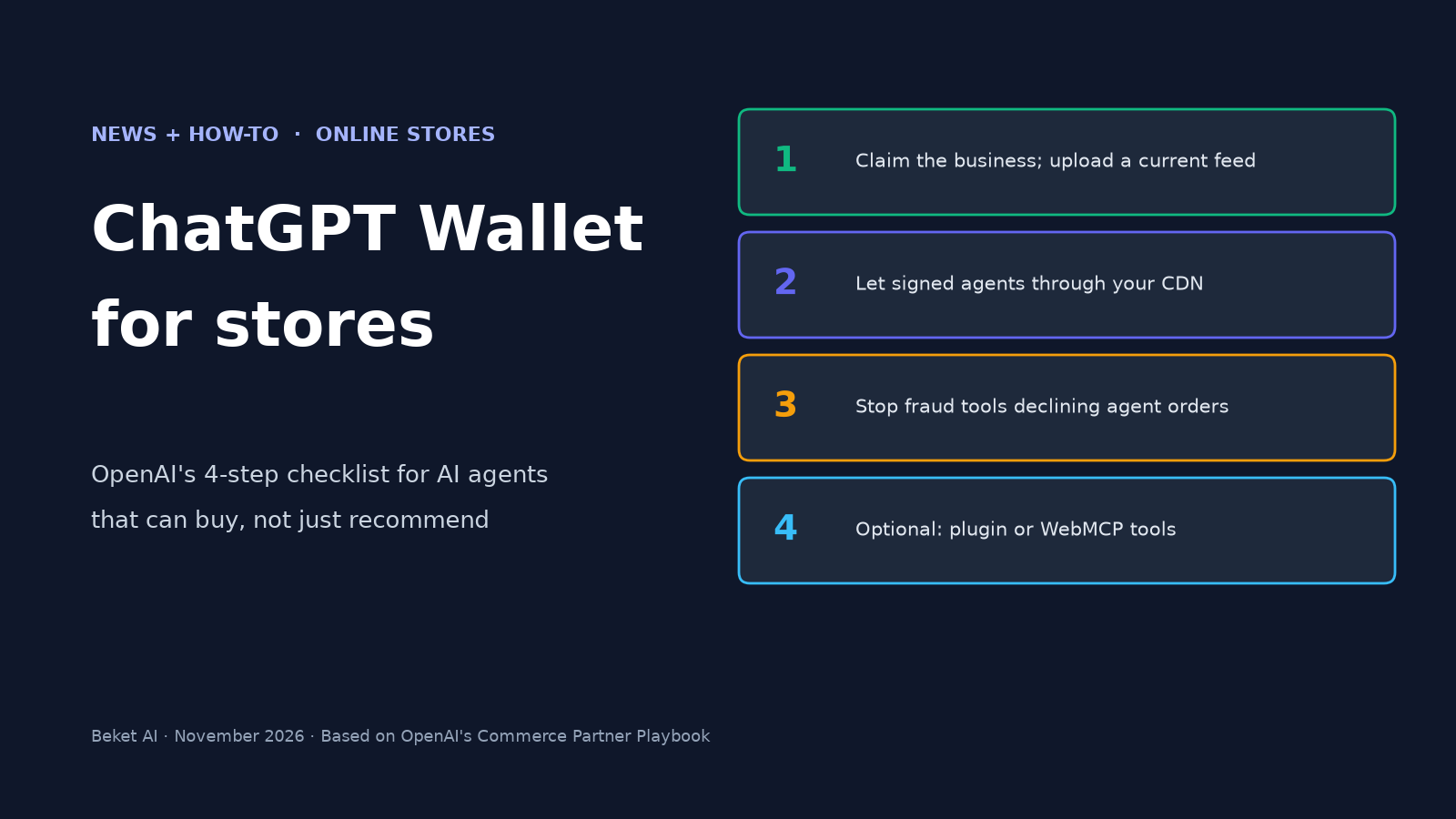
This is a limited rollout. For now it is only available to ChatGPT Pro subscribers aged 18 and older in the United States, with an eligible US-issued card. OpenAI says it is starting small so it can learn from real-world use with businesses, banks and payment networks. Even so, the merchant work is not theoretical. Alongside the Wallet, OpenAI published a Commerce Partner Playbook with a four-step checklist: claim your business and upload a current product feed, let signed ChatGPT agent requests through your CDN or firewall, work with your payment and fraud providers so agent orders are not declined, and optionally add a plugin or WebMCP tools.
A store can already be named in a ChatGPT shopping answer and still lose the sale if the agent cannot reach checkout, or if a risk system treats the purchase as a bot. This guide explains how Wallet works, who can use it today, and how to work through those four steps. Everything below comes from OpenAI’s announcement and public commerce docs as of November 14, 2026. OpenAI is still updating these pages, so check the live playbook before you change production systems.
What ChatGPT Wallet is, and what it is not
ChatGPT Wallet is a payment method for agents, not a new storefront. The shopper adds an eligible card once. When it is time to buy, they review the items, the total and the selected card, then approve the purchase with a biometric check. OpenAI says each approval creates a clear record of what the user authorized the agent to do.
After that approval, the payment network issues a payment token: a substitute for the real card, with its own number, security code and expiration date. The charge still hits the selected card. ChatGPT Wallet does not share the actual card details with the business or the agent. Users keep their existing card rewards and, for eligible disputes (OpenAI’s example is a defective item), their usual card protections. The customer still transacts directly with the business, which keeps the relationship and control over pricing, fulfillment, returns and customer service.
A few limits are worth getting straight before you change anything on the site:
- It is not a guarantee of traffic. OpenAI is rolling Wallet out to a slice of US ChatGPT Pro users first. This is about being able to complete a sale when an agent does show up, not about a flood of orders tomorrow.
- A product feed is not a checkout integration. OpenAI’s product feed guide says a feed helps with product discovery. It does not update a cart or confirm a purchase. The live website or a plugin still checks the current offer when a customer acts.
- Browser checkout does not require a plugin or a feed. OpenAI is explicit about this: ChatGPT’s cloud browser can use your existing site. A plugin is optional extra work, not a gate.
- This is not Instant Checkout. Wallet is designed to pay through the systems you already have, including your existing checkout pages. For how OpenAI’s earlier Agentic Commerce Protocol and Google’s Universal Commerce Protocol differ, see What Is Agentic Commerce? ACP vs UCP.
Over time, OpenAI says it expects people to be able to pre-approve purchases within clear parameters, such as spending limits, purchase categories or time periods. That is a planned direction, not something OpenAI is offering at launch.
Who can use it today
OpenAI’s availability line is specific. ChatGPT Wallet began rolling out on November 13, 2026, inside dots. It is initially available to:
- ChatGPT Pro subscribers
- aged 18 or older
- in the United States
- with an eligible US-issued card from American Express, Mastercard or Visa
If you sell mainly to Canadian or other non-US customers, there is nothing to turn on for those shoppers yet. If you already sell to US customers, the playbook still applies: a US Pro subscriber’s agent may try to use your existing site.
OpenAI’s 4-step checklist, at a glance
OpenAI’s launch post groups the merchant work into four areas. You can start with the ones that matter most for your customers. Browser access and payment-token acceptance are the ones that decide whether a visit can become an order.
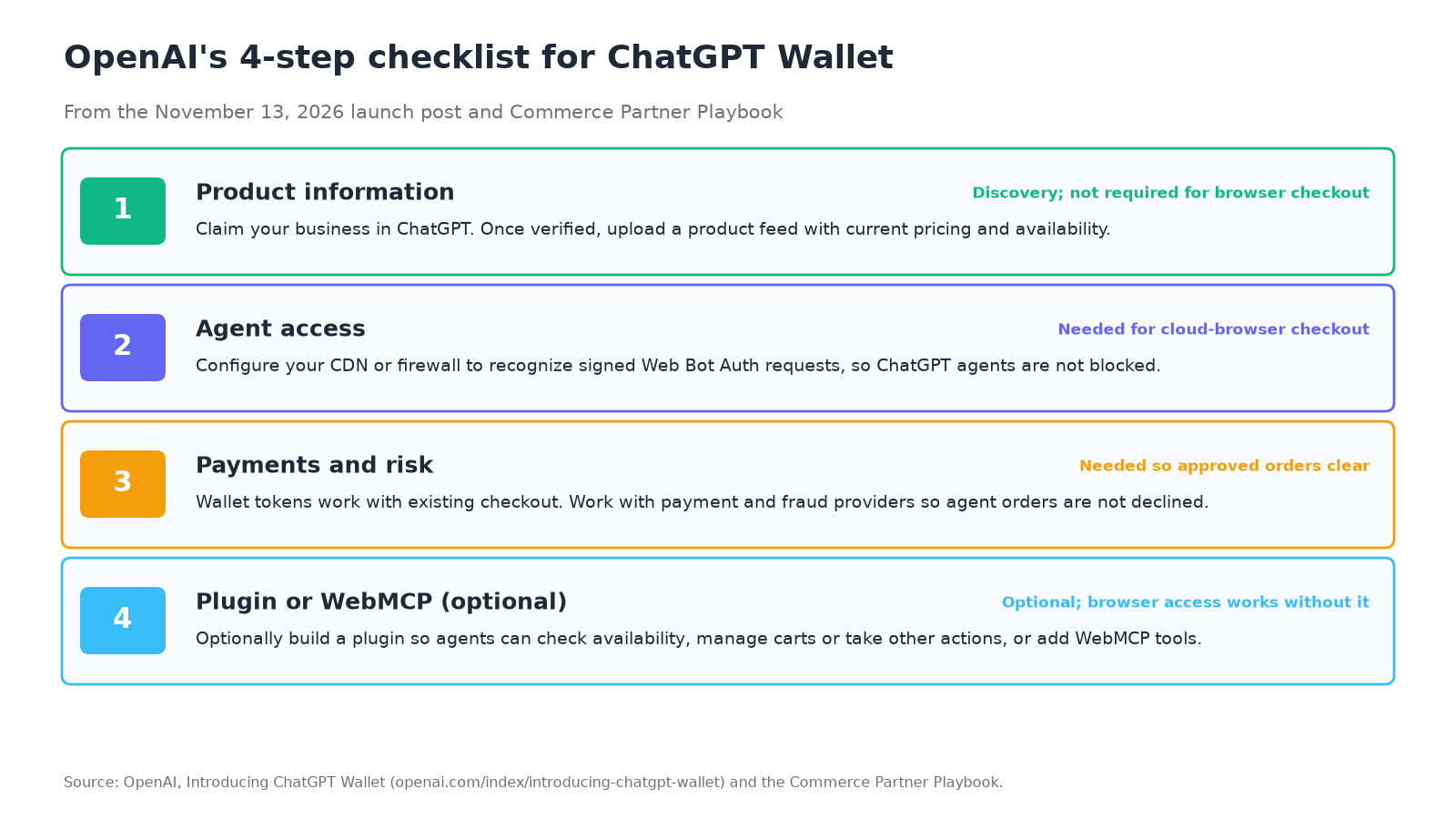
| Step | What OpenAI asks you to do | Required to accept a Wallet payment? |
|---|---|---|
| 1. Product information | Claim your business in ChatGPT and, once verified, upload a product feed with current pricing and availability | No. A feed helps discovery; browser access does not require one |
| 2. Agent access | Configure your CDN or firewall to recognize signed requests that use Web Bot Auth, and check that other security rules are not blocking ChatGPT agents | Yes, in practice: if the cloud browser is blocked, the agent cannot check out on your site |
| 3. Payments and risk | Work with your payment and fraud providers so legitimate agent purchases are not declined or cancelled | Yes. Wallet tokens work with existing checkout, but risk systems may still flag them |
| 4. Plugins or WebMCP (optional) | Build a plugin so agents can check availability, manage carts or take other actions through your systems, or add WebMCP tools | No. OpenAI says browser access does not require a plugin |
Step 1: Claim your business and upload a current product feed
OpenAI’s first item is about accurate product information. Claim your business in ChatGPT, and once you are verified, update your business details and upload a product feed with current prices and stock.
The claim happens in Business Hub. Our ChatGPT business profile guide walks through that claim, the verification methods and the blue check. After identity verification, the product section is where you choose countries and currencies, then deliver the feed by manual upload, a hosted HTTPS URL or SFTP.
The feed itself is a structured catalog file. Every row needs OpenAI’s required fields, including a stable item ID, a public product URL, an image, a price in the 79.99 USD format, and an availability value such as in_stock or out_of_stock. Keep it current: OpenAI’s schema says to resubmit when a sale starts or ends, or when an item sells out or comes back. For the field list, formats and the mistakes that reject rows, use How to Submit a Product Feed to ChatGPT.
Two caveats from OpenAI, so you do not over-invest in the wrong layer:
- A feed does not guarantee that ChatGPT will display your products. It is one input, alongside the public web and other retail sources.
- The feed does not complete the purchase. When a customer acts, your live site or a plugin has to confirm the current offer.
Step 2: Let signed ChatGPT agents through your CDN or firewall
This is the step that catches stores that already block “AI bots” at the edge. ChatGPT Wallet purchases on your website go through ChatGPT’s cloud browser: a browser running on a computer in the cloud that can read pages, click buttons and move through your existing checkout on the user’s behalf.
OpenAI’s cloud browser access guide says you do not need to add that browser to an allowlist for it to work. You do need to make sure your security settings are not blocking it by accident. The way to do that is to configure your CDN or firewall to recognize signed requests that use Web Bot Auth (HTTP Message Signatures, RFC 9421).
A signed request includes a Signature header, a Signature-Input header, and a Signature-Agent header set to "https://chatgpt.com", including the quotation marks. Public keys for verifying those signatures are at chatgpt.com/.well-known/http-message-signatures-directory.
Akamai, Cloudflare, HUMAN and Vercel, OpenAI says, verify those signatures automatically. The setup still matters:
- Cloudflare: in Security, then Settings, filter by Bot traffic and open AI Crawler and Agent access policies. Under Personal Agents, set dots, OpenAI to Allow. You can also allow the traffic with a WAF custom rule: Cloudflare’s bot tag is
chatgpt-agent, and the detection ID is129220581(listed as ChatGPT Operator). - Akamai: create a custom bot category with a verified bot named ChatGPT Agent, then set that category’s action to Allow under Bot & Agent Control.
- HUMAN: allow the ChatGPT Agent entry under Known Bots & Crawlers (and review permissions in AgenticTrust if you use it).
- Vercel: if your security rules do not already block this traffic, OpenAI says no extra configuration is required. Vercel identifies it as
chatgpt-operator. - Other CDNs and firewalls: verify the signature yourself against the public key directory, and only then add an allowlist exception for signed browser requests.
Treat this traffic as distinct from OpenAI’s crawlers. Cloud browser visits happen on a user’s behalf. They are not the same as OAI-SearchBot, which builds the search index, or GPTBot, which is used for training. An allowlist rule for verified cloud browser visits, OpenAI says, does not change how your site handles other traffic. If you use Cloudflare and want a walkthrough of the crawler side (which operators appear, and which ones to allow or block), see How to See Which AI Crawlers Visit Your Site with Cloudflare. That guide is about crawlers. Wallet checkout depends on the Personal Agents / cloud browser setting above, so do not assume that allowing OAI-SearchBot also allows dots.
OpenAI also notes that it requires human review before any consequential action, including checkout. You cannot yet tell ChatGPT, from your side, which pages or products an agent may or may not touch; keep your existing page-level access controls in place.
Step 3: Work with your payment and fraud providers
OpenAI’s Accept payments guide says ChatGPT Wallet works with your existing checkout pages and payment forms. There is no Wallet-specific integration to build. Your business still handles the order, fulfillment, customer support and fraud decisions.
The failure mode is not “we do not accept the token.” It is “our risk system thinks this is a bot.” Risk tools are often tuned to flags such as unusual IP addresses or browser details. ChatGPT’s cloud browser can trip those checks and cause a legitimate, user-approved purchase to be declined or cancelled.
OpenAI says it is rolling out support for relaying user signals through the HTTP Forwarded header, including details such as the user’s observed IP prefix, estimated country, locale, time zone and user agent. If you use a third-party risk provider, ask them whether your configuration ingests those signals. If you run your own risk system, start observing the header. OpenAI warns that the signals you receive may vary as support is rolled out site by site.
OpenAI is also working with fraud-prevention partners (it names Forter, Riskified, Sardine and Signifyd) and payment service providers (Adyen, Checkout.com and Stripe) so their systems can recognize legitimate agent purchases. If your stack includes one of those vendors, that is the conversation to have: how do they identify ChatGPT Wallet transactions, and what should you change so approved agent orders are not declined?
A few payment rules from the same guide, so you do not invent a flow OpenAI does not support:
- You receive a network token, not the full card number. Use the Payment Account Reference (PAR) if you need to associate the token with the underlying payment account.
- The customer consents only to that specific transaction. Do not reuse or save the Wallet payment credential for a later, separate purchase.
- If your checkout already supports recurring billing, OpenAI says Wallet can be used for a subscription, provided you get consent for recurring charges and follow your processor’s rules for merchant-initiated transactions.
- You can keep your existing card-on-file flow. Wallet is a separate payment option, not a replacement for cards already saved with your business.
Step 4: Optionally, add a plugin or WebMCP tools
The fourth step is optional. If you have the engineering time, OpenAI’s plugin guide describes a headless plugin (an MCP server plus skills) that lets ChatGPT call your services directly instead of clicking through pages. That can be more reliable than depending on layout and browser state, and it can carry an authorized customer session between actions. OpenAI also says a plugin is not automatically faster; you should measure your own flow.
For retail, OpenAI’s examples of useful tools are product lookup (current price and availability for a location), cart updates, checkout or a browser handoff, and, for signed-in customers, finding past orders. If a plugin cannot finish a required step, it can return a continue_url so the customer continues on your website. OpenAI also mentions WebMCP tools on the Wallet launch post as another way to expose site actions to agents.
Two caveats, both from OpenAI:
- You do not need a plugin for the cloud browser to use your site. Build one if you want structured actions, not because Wallet will otherwise fail.
- OpenAI says it is still working on the interaction patterns between third-party plugins and ChatGPT Wallet. Do not plan a plugin-only checkout and assume Wallet is fully wired up.
The playbook also lists Sign in with ChatGPT as a separate, optional integration for sites that require an account at checkout. That is useful later; it is not one of the four launch-post steps.
What to do this week
Black Friday 2026 is less than two weeks after this launch. Wallet itself is still a small US Pro rollout, so this is preparation, not a forecast of agent-driven holiday volume. The practical risk is narrower: ChatGPT already helps people research products, and OpenAI’s own announcement notes that 1.2 billion people use ChatGPT each week. If your products are in those answers, an agent that cannot reach your checkout, or a risk rule that voids the order, is a sale you were already close to winning.
If you only have time for a short pass:
- Confirm your business is claimed and verified in Business Hub, and that the product feed (if you use one) has current prices and availability.
- In your CDN or firewall, allow verified ChatGPT cloud browser / Personal Agent traffic (on Cloudflare, dots, OpenAI), without confusing it with training crawlers.
- Ask your payment and fraud providers how they treat ChatGPT Wallet network tokens and the
Forwardedheader, and whether legitimate agent orders are being declined. - Place a test order path on a staging copy if you can: product page, cart, checkout. You will not be able to run a real Wallet payment unless you are in the US Pro rollout, but you can at least confirm the agent is not blocked before the payment step.
- Keep a short list of unbranded buyer questions (“best waterproof trail shoes under $100”) and see whether ChatGPT names your products, and whether the price and stock it mentions match the feed.
That last check is about discovery, not checkout. Beket AI’s free audit runs 25 unbranded prompts across ChatGPT, Perplexity and Google AI Overview and shows who gets named and which sources get cited. Pro is $49 a month with daily re-audits, starting at 50 prompts. Agency is $245 a month for 5 sites. Beket AI reports what the engines returned; it does not apply fixes to your pages, and it does not test whether a Wallet payment will clear.
Quick checklist
- You know Wallet is live only for US ChatGPT Pro subscribers, 18 or older, with an eligible US-issued card.
- The business is claimed and verified in Business Hub, and business details are up to date.
- If you sell physical goods, a product feed is uploaded with current prices and availability, and you have a plan to refresh it when stock or prices change.
- Your CDN or firewall allows signed ChatGPT cloud browser requests (Web Bot Auth). On Cloudflare, dots, OpenAI is set to Allow.
- You have not treated this traffic as if it were GPTBot or another training crawler.
- Your payment and fraud providers know you expect ChatGPT Wallet tokens, and someone has asked how they will avoid false declines.
- Checkout will not reuse a Wallet token for a later, separate purchase.
- A plugin or WebMCP tools are on the roadmap only if you want structured actions; they are not a prerequisite for browser checkout.
- You have a baseline of unbranded buyer questions to see whether ChatGPT names your products with the right facts.
Related posts
Google AI Overview Wrong About Your Business? How to Correct It (AI Mode Too)
Google AI Overview showing wrong information about your business? Find the source, fix your Business Profile and pages, report it to Google, and recheck.
Should You Block AI Bots? Crawlers, Agents and Signed Agents Explained (2026)
Should you block AI bots? Training crawlers, search crawlers, user fetchers and signed agents differ. Web Bot Auth and Cloudflare change the answer.
AEO Hacks That Backfire: 6 Shortcuts AI Search Ignores or Flags (2026)
Which AEO and GEO hacks backfire: keyword stuffing, FAQ padding, self-ranking listicles, fan-out pages, planted mentions, and what AI answers cite instead.