
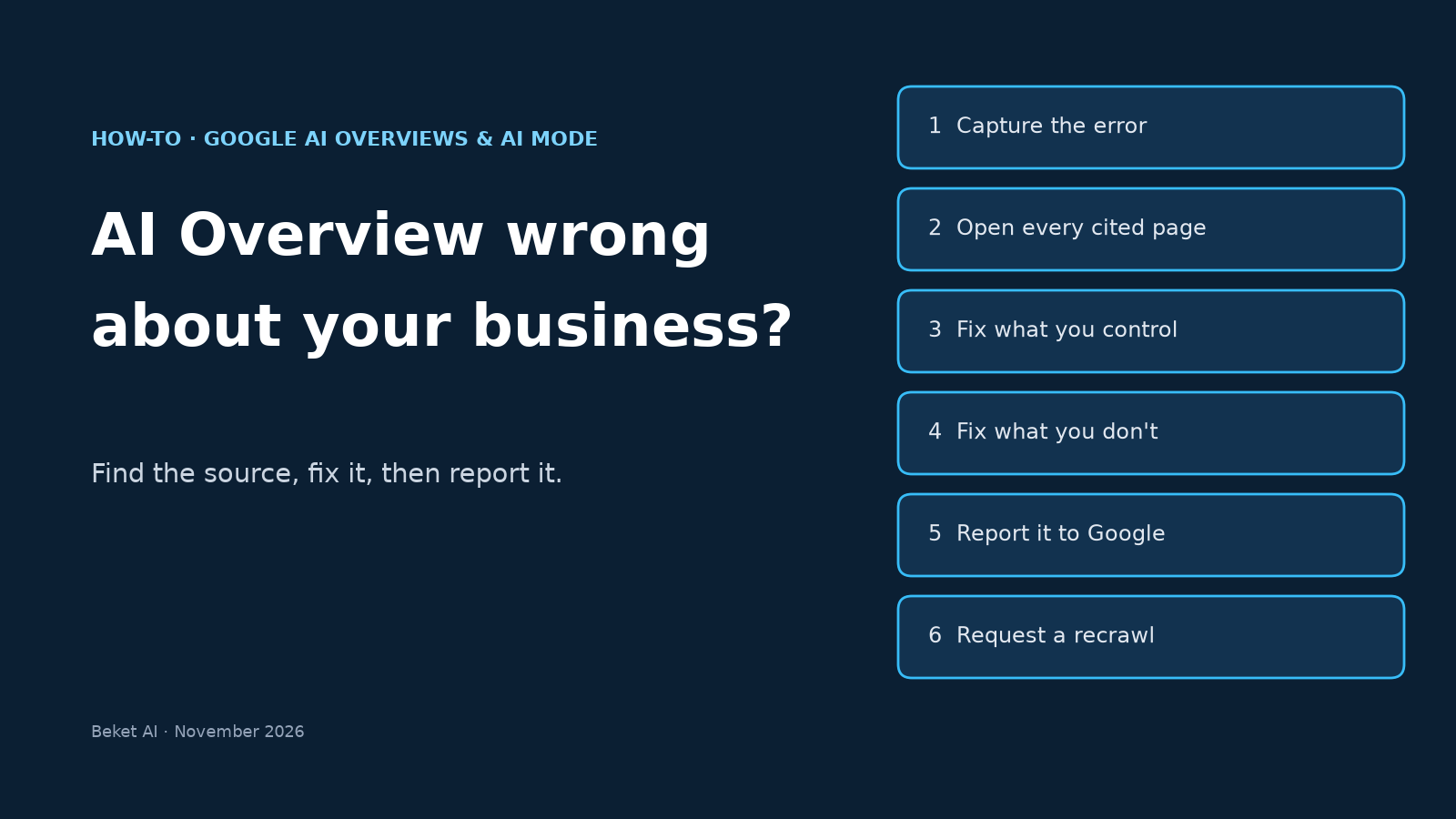
Google AI Overview Wrong About Your Business? How to Correct It (AI Mode Too)

Google’s own help page for AI Overviews doesn’t hedge: “AI Overviews can and will make mistakes” (Google Search Help). Most of the time that’s an abstract warning. It stops being abstract when the mistake is about you: the overview says you close at 5, lists a service you dropped last year, or quotes a price from 2023.
Unlike ChatGPT, Google gives you real levers here. You own a Business Profile, you can request a recrawl, a knowledge panel takes verified feedback, and there’s a report button on every overview. None of them is an “edit this answer” switch, though. This guide covers which lever fits which kind of error, in the order we’d use them, for both AI Overviews and AI Mode. If the wrong answer is in ChatGPT instead, our guide to fixing wrong information about your business in ChatGPT covers that engine.
How often AI Overviews get facts wrong
The best independent number we’ve seen comes from Washington University in St. Louis. Researchers ran 55,393 Google searches on trending topics between March 13 and April 21, 2026, split the AI Overviews into 98,020 verifiable claims, and checked each one against the pages the overview cited (WashU, Sep 29, 2026).
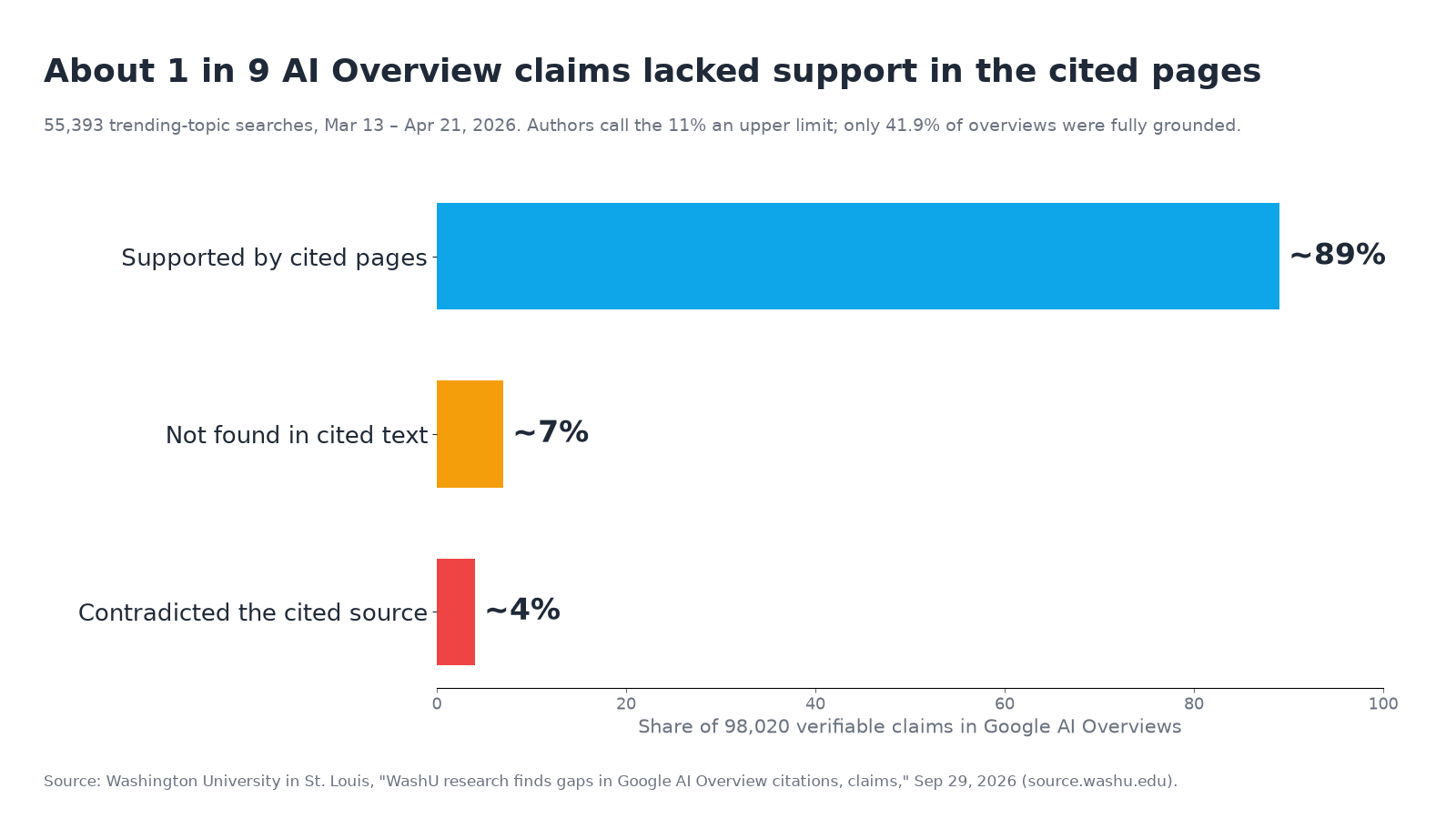
About 89% of claims were supported. About 7% couldn’t be found in the cited text the team collected, and 4% contradicted the cited source. Only 41.9% of overviews were fully grounded, meaning every claim checked out. The authors call the 11% an upper limit, since their pipeline couldn’t fully capture Reddit threads, forum posts or YouTube videos, and fast-changing pages may have been updated before they were captured. These were trending-topic searches, not local business questions, so treat the figures as a sense of scale rather than your odds.
The useful part for a business owner is the split. A contradiction means Google misread a page. A claim with no support in the citations means it pulled the fact from somewhere you can’t see on the screen. The fixes are different.
Why AI Overviews get your business wrong
When the early AI Overviews went viral for the wrong reasons in 2024, Google explained that overviews are tied to its ranking systems and “built to only show information that is backed up by top web results.” When they get it wrong, Google said, it’s usually from “misinterpreting queries, misinterpreting a nuance of language on the web, or not having a lot of great information available” (Google, May 30, 2024). The model has changed several times since, but those three causes map neatly onto business errors.
| Google’s cause | What it looks like for a business | Where the fix is |
|---|---|---|
| A page on the web says the wrong thing | Old hours from a directory, a former address on a stale location page, an old price in a blog post | The page itself |
| Misreading a nuance of language | Seasonal hours shown as year-round, “we partner with X” read as “we are X”, a past service read as current | Clearer wording on your own pages |
| Not much good information available | A thin site, few third-party mentions, so a forum guess or a similarly named business fills the gap | More clear, consistent facts in more places |
| Misreading the query | The answer is about a different business, city or product with the same name | Disambiguation: consistent name, address, sameAs links |
Step 1: Capture the error before you touch anything
AI answers change between runs, so a vague memory of “it said something wrong” isn’t enough to work from. For each error, record:
- The exact query, word for word. Google says feedback “includes your most recent search query and its search results,” so you’ll want to reproduce it later.
- The exact wrong sentence and a screenshot with the date visible.
- Every cited source. Expand the overview and copy each linked URL.
- Where and how you searched: city, device, signed in or not. Google’s AI Mode experiment in Search Labs personalizes responses for US users 18+ who have Web and App Activity and Search personalization turned on (Google Search Help), so check signed out as well.
- Whether it repeats. Run the same query a few times and a couple of rewordings. One odd answer and a wrong answer on every run are different problems.
Check AI Overviews and AI Mode separately. They don’t always pull the same sources, and AI Mode splits your question into subtopics and searches each one (Google Search Help), so it can land on pages the overview never used. Our guide to tracking what Google AI Overviews say about your business has a simple log format for this.
Step 2: Open every cited page and find the source
This is where most fixes are decided. Go through the citations one at a time.
| What you find | What it means | Next step |
|---|---|---|
| A cited page states the same wrong fact | The overview repeated a bad source | Fix or remove that page (Step 3 or 4) |
| Cited pages are right, the overview is wrong | Google misread or blended sources | Make the fact unmistakable on your site, then report it (Step 5) |
| The wrong fact isn’t on any cited page | It came from elsewhere: your Business Profile, a knowledge panel, older pages | Check your profile and panel first, then search for the wrong fact in quotes |
| Facts belong to another business | Entity confusion | Tighten your name, address and links everywhere; add sameAs |
A quick trick for the third case: search Google for the wrong detail in quotes, such as your old phone number or "closes at 5pm" "your business name". The page that still carries it is often on the first page of results.
Step 3: Fix the sources you control
Your Google Business Profile comes first for any local fact. Google lets you edit a verified profile on Search or in the Maps app: address, hours, special hours, phone numbers, categories, services and the 750-character description. Two details matter here. Google says “we review your changes before we update them live,” so an edit isn’t instant. And in some regions and categories there’s now an Edit profile → Collected info screen that shows information Google gathered about your business, with the source and the date it was collected. If a wrong detail is sitting there, you can delete it. Google notes that deleting collected info doesn’t change the details already on the profile, so check those too.
Your website second. Put each key fact in plain text on one obvious page: hours, address, service area, what you do and don’t offer, current prices if you publish them. Then remove or update every older page that disagrees, including old location pages, event pages and press releases. Write facts so they can’t be misread: “Open 9am to 9pm, Monday to Saturday, all year” leaves less room than “Summer hours: 9 to 9.”
Structured data third. Google says organization markup on your home page or About page “can help Google better understand your organization’s administrative details and disambiguate your organization in search results” (Google Search Central). Use the most specific LocalBusiness subtype if you serve customers in person, and list your real profiles in sameAs. Merchants can also influence return policy, address and contact details in the merchant knowledge panel the same way. Markup has to match what’s visible on the page; it backs up your facts, it doesn’t replace them.
Step 4: Fix the sources you don’t control
Directories and listings. If a directory, aggregator or review site carries the wrong fact, claim the listing or use its correction form. You can suggest an edit to a Google Business Profile you don’t own, which helps when an old duplicate profile or a former tenant’s listing is the source.
Your knowledge panel. If your business has a knowledge panel, anyone can send feedback, but Google says that if you’re verified and the panel is about you, “we can prioritize your feedback” (Knowledge Panel Help). Verified users click Suggest edits at the top of the panel, report each item separately, and include public URLs that support the change. Google says it reviews verified feedback “within a few days” and emails a resolution. One limit to know: panel descriptions “can’t be edited.” To change one, contact the site it came from and ask them to correct it.
Articles and forums. Email the publisher with the specific sentence, the correct fact and a link that proves it. For a forum thread you can’t change, reply with the correct information from an identifiable account. Our post on why the thumbs-down button won’t fix your AI answer explains why this source work matters more than the report button.
Step 5: Report the answer to Google
Do this after the source is fixed, not instead of it.
In AI Overviews: at the bottom of the overview, click the thumbs-down, then Report a problem, choose the category, add details and submit. You can also use the three-dot menu at the top right of the overview (Google Search Help).
In AI Mode: use the thumbs-down at the bottom of the response, choose the category that fits and add details (Google Search Help). Google is testing a new pop-up here that asks “What went wrong?” with options including “Incorrect” (Search Engine Watch, Nov 13, 2026), so the labels you see may differ.
Report from the search that shows the error, since the query and results go with your report. Keep the text short and checkable:
The overview says [Business] closes at 5pm. That’s incorrect: we’re open 9am to 9pm, Monday to Saturday. Source: [URL of your hours page] and our Google Business Profile.
One report per distinct error is enough. Google frames feedback as something that “helps us improve AI Overviews for everyone.” It doesn’t promise to change a specific answer, and it publishes no response time.
Step 6: Ask Google to recrawl the pages you changed
In Search Console, run each updated page through the URL Inspection tool and request indexing, or resubmit your sitemap if you changed many pages. Set expectations with Google’s own wording: “Crawling can take anywhere from a few days to a few weeks,” requesting a crawl “does not guarantee” inclusion, and asking repeatedly for the same URL “won’t get it crawled any faster” (Google Search Central).
When it’s more than a mistake
A wrong opening time is a data problem. A false statement that accuses you or your staff of something, or that you believe breaks the law, is a different category. Google says it takes action on overviews that violate its content policies, though it described those as rare: fewer than one in every 7 million unique queries with an AI Overview in its 2024 review (Google).
For legal issues, Google’s Report Content for Legal Reasons page asks you to flag the content in the product first, then pick the product, the reason, and give specific URLs and as much detail as possible. You get an email confirmation and a reference number. Google also notes it can restrict content in its own products while the source page stays up elsewhere, so the publisher still needs a request. Talk to a lawyer before you file on legal grounds.
Don’t reach for the off switch
Search Console has a site-wide Search generative AI control that can exclude your site from AI Overviews, AI Mode and generative AI features in Discover. It won’t remove a wrong fact. Google says that if you exclude your site, “Content from other sites will still be available in those features, and it may appear similar to yours” (Search Console Help). When the error comes from someone else’s page, excluding yours takes your correct version out and leaves theirs. We go through the trade-off in Google’s AI Overviews off switch.
The same goes for spinning up a page for every way someone might phrase the question. One clear, current page per fact does more than ten near-copies.
Check again, and keep checking
Re-run your saved queries a week after the fix and again after a few weeks. Record the answer each time, signed in and signed out, in AI Overviews and AI Mode. If the cited source is now correct but the answer isn’t, report it again with the new evidence.
Beket AI’s free audit runs 25 prompts across ChatGPT, Perplexity and Google AI Overview and shows what each engine says and which sources it cites, which helps you spot errors you didn’t know to search for. Pro ($49/month) re-audits daily, starting at 50 prompts, so you can see when a corrected answer sticks or slips back. AI Mode isn’t one of the three engines, so check it by hand.
Checklist
- [ ] Saved the exact query, wrong sentence, screenshot, date, location and sign-in state
- [ ] Checked AI Overviews and AI Mode separately, signed in and signed out
- [ ] Opened every cited URL and noted which one carries the wrong fact
- [ ] Searched the wrong detail in quotes to find pages that still state it
- [ ] Updated the Google Business Profile, including special hours and Collected info where available
- [ ] Fixed or removed every page on your site that disagrees with the correct fact
- [ ] Added or corrected
Organization/LocalBusinessmarkup withsameAs - [ ] Asked directories and publishers to correct their listings and articles
- [ ] Sent verified knowledge panel feedback, if you have a panel
- [ ] Reported the overview once, with the correct fact and a source URL
- [ ] Requested recrawls for changed pages in Search Console
- [ ] Re-checked after one week and after a few weeks
Related posts
AEO Hacks That Backfire: 6 Shortcuts AI Search Ignores or Flags (2026)
Which AEO and GEO hacks backfire: keyword stuffing, FAQ padding, self-ranking listicles, fan-out pages, planted mentions, and what AI answers cite instead.
ChatGPT Wallet: Is Your Store Ready for AI Agents That Buy? OpenAI's 4-Step Checklist
OpenAI launched ChatGPT Wallet on Nov 13, 2026. How agent checkout works, who can use it today, and the 4-step Commerce Partner Playbook for stores.
Persona Prompts for AI Visibility: How to Test What ChatGPT Recommends to Each Buyer
Persona prompts for AI visibility: build buyer personas, run control and persona prompts on ChatGPT, Perplexity and AI Overview, and read the gaps.